Amazon FBA Inventory Limits Explained: Managing Restock
Amazon Controls How Much Inventory You Can Store
Every FBA seller eventually hits the limit wall. You have a product selling 30 units a day, you want to send 3 months of supply so you never stock out, and Amazon says no. Not enough room. Your allocation is full.
FBA inventory limits cap how much product you can store in Amazon's fulfillment centers. The logic is simple: warehouse space is finite, and Amazon would rather fill it with inventory that moves than inventory that sits. Understanding how these limits work - and how to get more capacity - is the difference between growing on Amazon and being constrained by it.
Types of FBA Limits
Restock Limits are the big one. This is the maximum inventory you can have on-hand and inbound combined:
Restock Limit = Maximum (On-Hand + Inbound)
These are checked per storage type: standard-size, oversize, apparel, footwear, and aerosol/flammable. You might have room for more standard-size units but be capped on oversize.
ASIN-Level Limits restrict individual products based on their sales history, category restrictions, or hazmat classification. A new ASIN with no track record gets a tighter leash.
Account-Level Limits cap your overall FBA capacity across all ASINs. This is the ceiling you are working under.
The IPI Score: Your Limit Multiplier
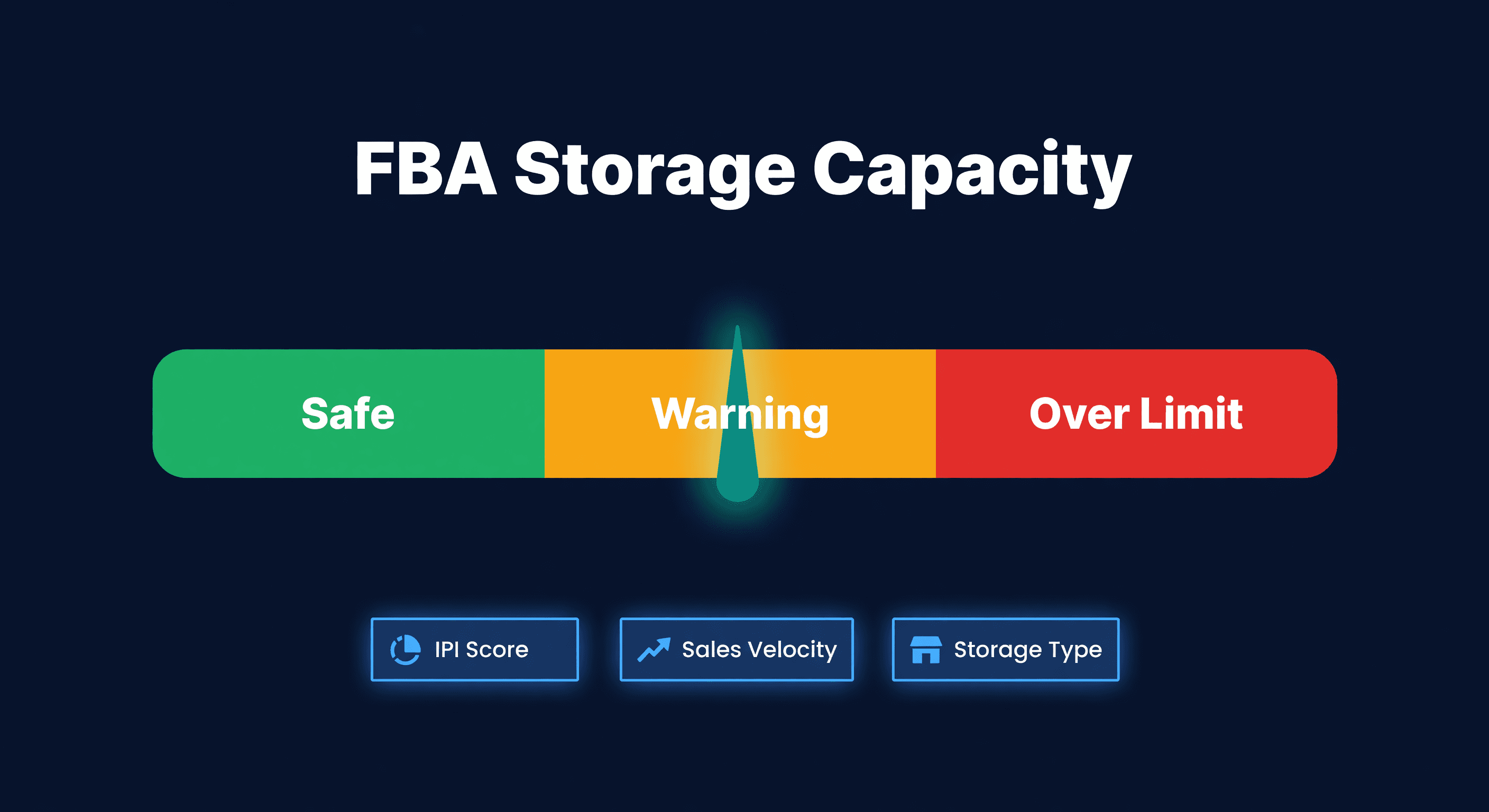
IPI (Inventory Performance Index) is the single most important number for your FBA capacity. Higher IPI = higher limits. I have seen sellers double their available capacity just by cleaning up their IPI from 380 to 550.
| Factor | Weight | How to Improve |
|---|---|---|
| Sell-through rate | High | Increase sales, reduce excess |
| Excess inventory | High | Remove or liquidate slow movers |
| Stranded inventory | Medium | Fix listing issues promptly |
| In-stock rate | Medium | Avoid stockouts on top sellers |
IPI Score Ranges
| Score | What It Means | Limit Impact |
|---|---|---|
| 550+ | Excellent | Maximum limits |
| 450-549 | Good | Standard limits |
| 350-449 | Needs work | Reduced limits |
| Below 350 | Problem | Severe restrictions |
Check your IPI in Seller Central under Inventory > Inventory Planning > Inventory Performance. It updates weekly. If yours is below 450, stop reading this article and go fix your stranded inventory first.
How Amazon Calculates Your Limits
Amazon's formula, simplified:
Your Limit = Base Allocation × IPI Multiplier × Seasonal Factor × Category Factor
What pushes limits up: higher IPI score, strong sales velocity, good sell-through history, and peak season capacity expansion.
What pushes limits down: low IPI, aged inventory sitting 90+ days, stranded ASINs, and Q4 capacity constraints when every seller is fighting for the same warehouse space.
Five Strategies to Maximize Your Limits
1. Fix Your Sell-Through Rate First
Sell-through = Units sold / Units available. This is the highest-weighted IPI factor. Price competitively, run promotions on slow movers, improve your listings (photos, bullets, A+ content), and adjust PPC spend on underperforming ASINs.
2. Kill Excess Inventory
Excess inventory destroys IPI. Amazon defines excess as more than 90 days of supply at your current sell rate. If you have 900 units of something that sells 3 per day, that is 300 days of supply. Amazon hates this.
Options: create removal orders, run Lightning Deals, lower prices aggressively, or use Amazon Outlet. Whichever you pick, do it fast. Every week of excess drags your IPI down.
3. Fix Stranded Inventory Weekly
Stranded inventory means units sitting in FBA that are not sellable because of listing issues. Check Inventory > Fix stranded inventory every week. Common causes: listing deleted or suppressed, ASIN merges, or category approval lost. This is free IPI points you are leaving on the table.
4. Keep A-Items In Stock
Stockouts hurt IPI because Amazon factors in-stock rate. For your top sellers, set aggressive reorder points, use FBA inventory planning alerts, and have backup FBM listings ready. The irony of FBA limits is that stocking out - the thing limits force you to risk - actually makes your limits worse.
5. Right-Size Your Shipments
Do not send 6 months of inventory "just in case." I know it feels safe. It is not. It burns your limits and triggers excess inventory flags. The days of supply calculator tells you how many weeks of cover you actually have at current velocity.
| Product Velocity | Target Supply at FBA |
|---|---|
| Fast movers (10+ units/day) | 4-6 weeks |
| Medium movers (3-10/day) | 6-8 weeks |
| Slow movers (<3/day) | Consider FBM instead |
Q4 Limit Management
Q4 is brutal. Everyone wants warehouse space at the same time.
August-September (pre-Q4): Clear aged inventory, send Q4 stock early, and get your IPI as high as possible going in. Whatever limits you have at the start of Q4 are roughly what you are working with.
During Q4: Monitor limits weekly, prioritize top sellers for limited space, shift slow movers to FBM, and consider a 3PL for overflow inventory you cannot fit into FBA.
Post-Q4: Limits often expand in January. Catch up on inventory you could not send during the crunch.
Legitimate Workarounds
| Workaround | How It Helps |
|---|---|
| FBM backup listings | Sell without FBA limits |
| 3PL storage | Hold inventory until FBA opens up |
| Multi-channel fulfillment | FBA ships for non-Amazon orders too |
| Amazon Warehousing & Distribution | Separate upstream storage with auto-replenishment |
What does not work: creating multiple seller accounts (against TOS), gaming inventory counts (Amazon detects it), or sending slightly over limits (rejected or hit with fees).
Reading Your Restock Limit Dashboard
In Seller Central > Inventory > Inventory Planning > Restock Limits, you will find four numbers:
- Maximum shipment quantity: How much you CAN send
- On-hand: Current FBA inventory
- Inbound: Inventory in transit or receiving
- Available: Room for new shipments
Available = Maximum - On-hand - Inbound
If "Available" is zero or near-zero, you have a problem. Either sell through what is there, remove excess, or wait for limits to reset.
Cross-Checking Against Amazon's Own Recommendations
Here is something most sellers skip: Amazon tells you how much inventory it thinks you should carry. Per ASIN. It publishes a minimum inventory level in the FBA Inventory Health report, based on its own demand model and your historical days of supply. The number is not a limit - it is a recommendation. But ignoring it costs money.
If your actual FBA stock consistently falls below Amazon's recommended minimum, you are likely eating low-inventory-level fees. Amazon does not just penalize you for having too much inventory. It penalizes you for having too little, relative to what it thinks you should carry. The fee tension is real: overshoot and you pay storage fees, undershoot and you pay low-inventory fees.
I like using Amazon's number as a gut check against my own math. If I am planning to send 200 units and Amazon says the minimum should be 400, either I am being too conservative or Amazon is seeing demand I have not accounted for. ReplenishRadar pulls these recommended levels from the Inventory Health report every 2 hours (Growth tier and above) and displays them next to its own transfer suggestions. When the gap exceeds 30%, a warning shows up so you can investigate before committing to a shipment. Two models, one view - agree or disagree, at least you are making the call with both numbers in front of you.
Multi-Channel Limit Strategy
For Shopify + Amazon sellers, FBA limits force allocation decisions. When limits are tight, you need a unified view of your total position: FBA available, FBA inbound, warehouse available, and what can ship to FBA versus what must stay for Shopify fulfillment.
The priority call: put your Amazon bestsellers into FBA first, fulfill Shopify from your warehouse, and use FBM for Amazon overflow. We handle this allocation problem in ReplenishRadar by showing unified inventory across all locations and generating transfer recommendations that respect your FBA constraints. You see exactly how much room you have and which SKUs should get it.
Weekly Monitoring Checklist
Track these weekly:
- Current IPI score (trending up or down?)
- Available capacity by storage type
- Aged inventory percentage (anything over 90 days)
- Stranded inventory count (should be zero)
Set alerts for IPI dropping below 450, available capacity falling below 2 weeks of shipments, and any new stranded inventory.
The sellers who manage FBA limits well are the ones who treat it as a weekly hygiene task, not a quarterly panic. Fifteen minutes every Monday morning is all it takes.
See how ReplenishRadar handles FBA-aware inventory planning ->
Related Reading:
Frequently Asked Questions
Get notified when it matters
Amazon and Shopify change the rules constantly. We'll email you when something affects your business.
See what your inventory is really doing
Doing $5M+ in revenue? Talk to our team
Related Posts
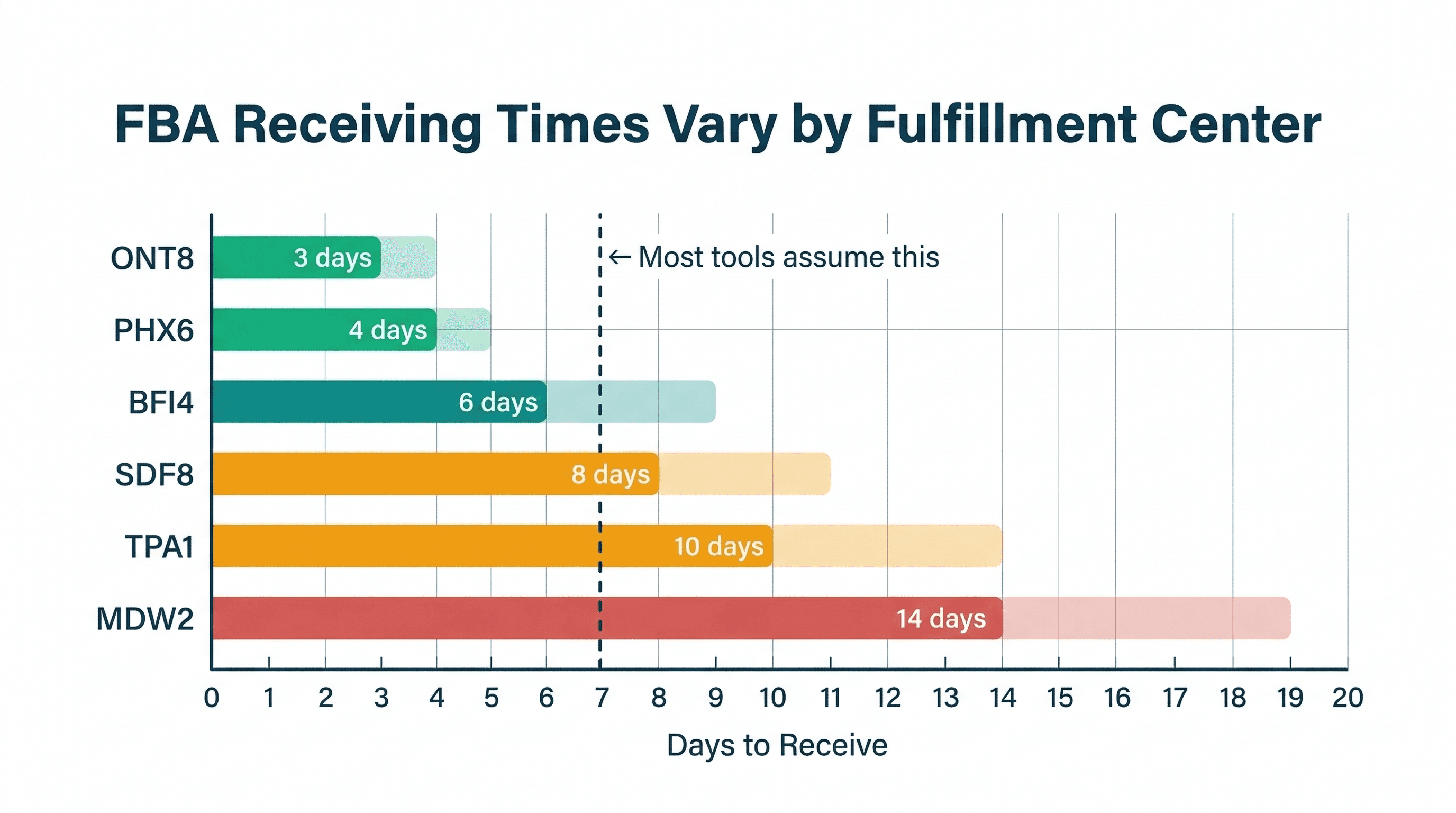
FBA Receiving Times by Fulfillment Center
Amazon FBA receiving times vary wildly by fulfillment center. Here's what the data shows and why a single lead time estimate is costing you money.
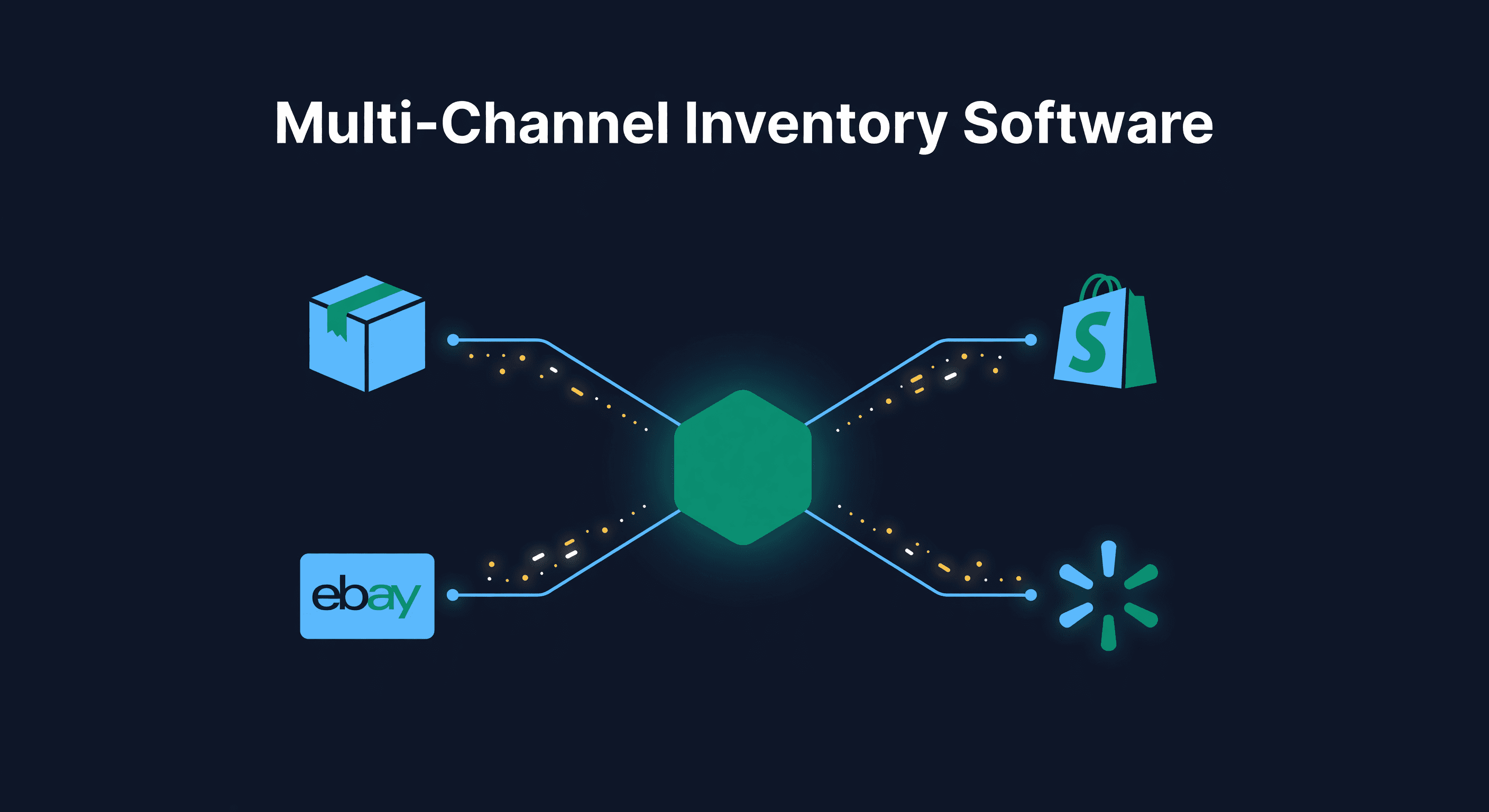
Cin7 Alternatives (2026)
Five Cin7 alternatives compared on stated price, contract terms, Shopify and Amazon support and locations, with a pick for each reason people leave Cin7.
Amazon Peak Fulfillment Fee 2026: Per-Unit Math
Amazon's 2026 holiday peak fulfillment fee runs Oct 15 to Jan 14. The per-unit math with the 3.5% surcharge, and how to size Q4 reorders on landed cost.
