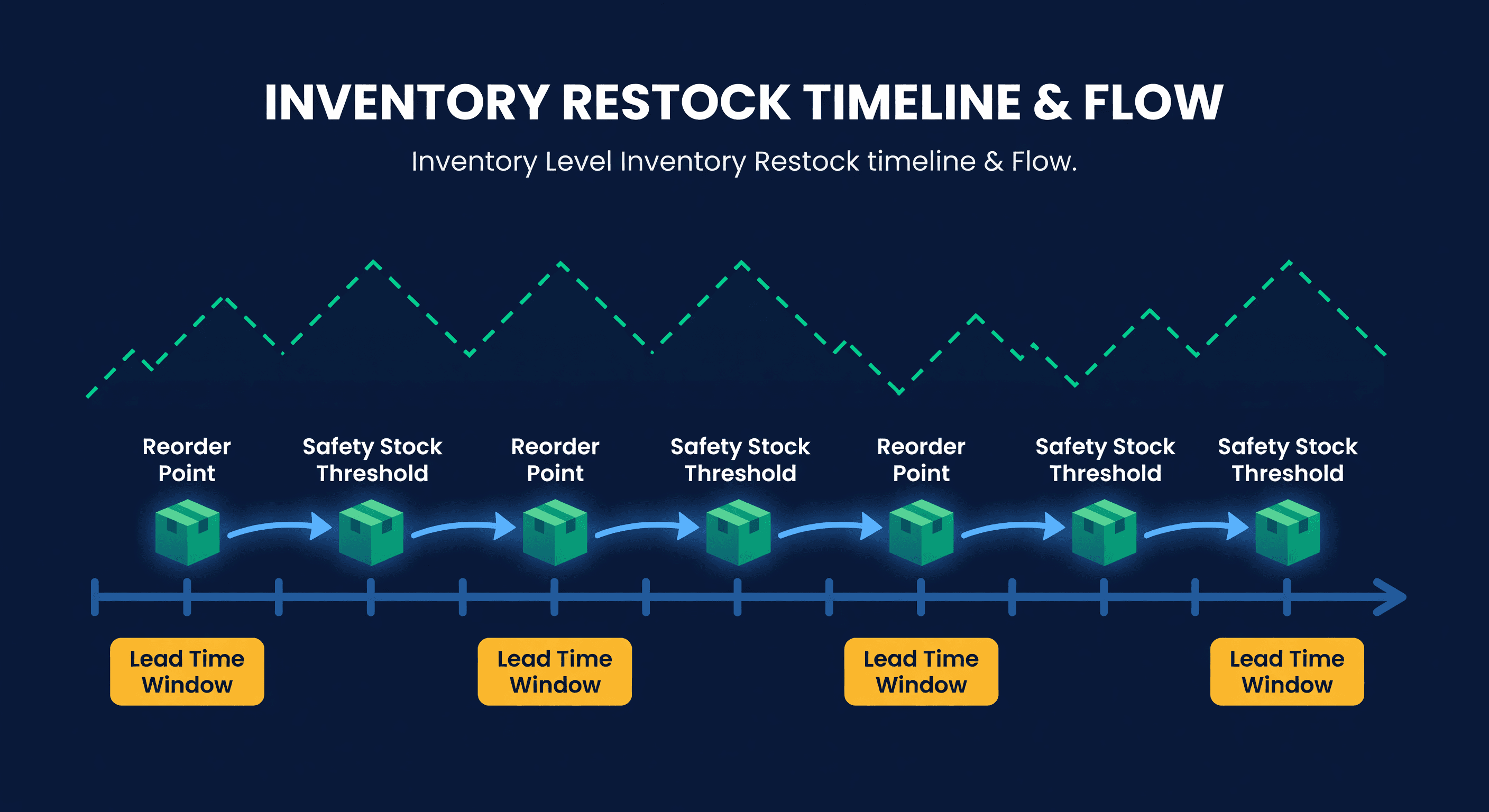
Amazon FBA Restock Strategies: When and How Much to Send
FBA Restocking Is a Timing Problem
I have watched sellers lose their bestseller ranking over a 3-day stockout because they sent inventory two days too late. FBA restocking is not hard math. It is hard timing.
Running out on Amazon means lost sales, ranking damage, Buy Box loss, and a momentum collapse that takes weeks to recover from. But sending too much means storage fees, tied-up capital, and burning through your restock limits on slow movers. The sweet spot is narrow, and it moves.
FBA Lead Time: The Number That Controls Everything
Before you calculate how much to send, you need to know how long it takes to get inventory live at FBA. Most sellers underestimate this.
| Stage | Typical Duration |
|---|---|
| Warehouse picking/packing | 1-2 days |
| Transit to Amazon | 3-7 days |
| FBA check-in queue | 1-7 days |
| FBA processing | 1-3 days |
| Total | 6-19 days |
That range is huge. During Q4, I have seen check-in queues stretch past two weeks. If you are using a 7-day lead time assumption and the real number is 14, your reorder point is wrong by 100%.
Track your actual FBA lead time by monitoring shipments in Seller Central. Use the real number, not the optimistic one.
The FBA Reorder Point Formula
FBA Reorder Point = (Daily Sales × FBA Lead Time) + Safety Stock
Our reorder point calculator runs this with FBA-specific lead times, and the safety stock calculator gives you the buffer side of the equation.
Example:
Daily Sales: 15 units
FBA Lead Time: 14 days
Safety Stock: 7 days (105 units)

Reorder Point = (15 × 14) + 105 = 315 units
When FBA inventory hits 315 units, create your next shipment. Not tomorrow. Today.
How Much to Send
Once you hit the reorder point, three approaches work.
Target Inventory Level (my recommendation): Set a target and ship the difference. This is the most responsive to demand changes.
Ship Quantity = Target Level - Current FBA - In-Transit
Example:
Target: 600 units (6 weeks supply)
Current FBA: 200 units
In-Transit: 100 units
Ship Quantity: 600 - 200 - 100 = 300 units
Economic Order Quantity: Balance shipping costs vs. storage costs. Fewer, larger shipments lower your per-unit shipping cost but increase storage. More frequent, smaller shipments do the opposite. For most sellers, 2-4 weeks of inventory per shipment hits the right balance.
Fixed Cadence: Ship a consistent quantity on a regular schedule - say, 200 units every two weeks. Simple to manage but blind to demand changes. Only works for products with very stable velocity.
I prefer the target inventory approach because it accounts for what is already in the pipeline. The fixed cadence approach will eventually burn you when demand shifts.
Working Within Restock Limits
Amazon limits FBA inventory. You cannot just send everything and forget about it.
Improve your IPI score. Higher IPI means higher limits. The levers are sell-through rate, excess inventory reduction, stranded inventory fixes, and in-stock rate on top sellers. An IPI above 550 gives you maximum limits. Below 350 triggers severe restrictions.
Prioritize high-velocity items. When limits are tight, rank products by sales velocity and allocate FBA space to the top sellers. Move slower products to FBM (merchant fulfilled). This is painful but necessary - every cubic foot of FBA space used by a slow mover is space your bestseller cannot use.
Time shipments carefully. Check available capacity before creating shipments. Do not let shipments expire without delivery.
Consider Amazon Warehousing Distribution (AWD) if you have consistent high volume. AWD gives you upstream storage at lower cost with automatic replenishment into FBA.
Seasonal Restocking
Peak seasons require advance planning. Start building FBA inventory in September for Q4:
| Period | Action |
|---|---|
| September-October | Build to 6-8 weeks supply |
| November | Peak inventory levels |
| December | Maintain and monitor |
| January | Let inventory normalize |
| February | Clear any excess before long-term storage fees hit |
During slow periods, lower safety stock, extend time between shipments, and consider removing slow movers entirely. Every unit sitting in FBA for 180+ days is costing you.
Multi-Channel Restocking
If you sell on both Shopify and Amazon, your warehouse stock serves double duty: Shopify fulfillment and FBA replenishment. This creates a coordination problem.
Forecast total demand across both channels:
Total Demand = Shopify Demand + Amazon Demand
Warehouse Needs = Shopify Demand + FBA Replenishment
When inventory is limited, you need clear priority rules. Which channel gets stock first? What is the minimum for each? I recommend prioritizing whichever channel has higher margin per unit, not higher volume. A $12 profit Shopify order beats a $6 profit Amazon order when you are choosing where to allocate scarce inventory.
Common FBA Restock Mistakes
Waiting too long. FBA processing takes time. If you wait until you are almost out, you are already too late. Set reorder points with a real lead time buffer, not a hopeful one.
Ignoring check-in time. Inventory in transit is not sellable. I see sellers track shipments as "sent" and assume the problem is solved. It is not solved until Amazon marks it as available.
Overstocking slow movers. Sending 500 units of a product that sells 2 per day wastes 250 days of limit capacity. Match restock quantity to actual velocity.
Not tracking in-transit inventory. Without knowing what is already on the way, you might double-order. Track all in-transit shipments in your calculations.
Reacting instead of anticipating. If you notice low stock and then start the restock process, you are already 6-19 days away from having sellable inventory. By then you have probably stocked out. Automated monitoring is not optional once you pass 20-30 SKUs.
Key Metrics to Track
FBA Days of Supply = Current FBA Inventory / Daily Sales
Target 3-6 weeks depending on your lead time.
FBA Turnover = (Sales per Month × 12) / Average FBA Inventory
Higher is better - faster selling, less capital tied up.
Stockout frequency: How often do you run out at FBA? Target less than 2% of days.
Perfect shipment rate: What percentage of shipments arrive on time and intact? Target above 95%.
Amazon's Recommended Inventory Level: A Second Opinion
Amazon publishes its own recommended inventory levels for each ASIN - a minimum quantity it thinks you should keep in FBA based on its demand estimates and your historical days of supply. Most sellers never look at this data. It is buried in the FBA Inventory Health report, and who has time to cross-reference a separate report against their own restock math?
But the signal is useful. When your reorder calculation says "send 300 units" and Amazon's recommendation agrees, you have high confidence. When they disagree - say your model suggests 200 and Amazon thinks you need 350 - that is worth investigating. Maybe Amazon is seeing a demand signal you are not. Maybe your lead time assumption is stale. Either way, the mismatch tells you something.
This matters financially too. Amazon's low-inventory-level fee hits sellers who consistently fall below what Amazon considers adequate stock. If you are regularly sending less than Amazon's minimum, you are probably paying that fee without realizing why. ReplenishRadar now pulls Amazon's recommended levels (synced every 2 hours for Growth tier and above) and shows them side-by-side with its own transfer suggestions. When the two diverge by more than 30%, a warning banner flags it before you create the shipment. Think of it as a built-in sanity check - two independent models looking at the same SKU, and you see where they agree and where they do not.
How We Handle This in ReplenishRadar
The manual version of FBA restocking - checking levels daily, comparing to reorder points, calculating shipment quantities, factoring in what is already in transit - takes about 30 minutes per day for a 50-SKU catalog. That is 15 hours a month of spreadsheet work that is boring, error-prone, and one fat-fingered cell away from a stockout.
ReplenishRadar monitors your FBA levels continuously and runs the reorder point math on every sync. When a SKU crosses its threshold, you get an alert with the exact quantity to send. It accounts for in-transit inventory so you do not double-ship, and adjusts for seasonality so your Q4 ramp-up starts on time instead of two weeks late.
Start your free 14-day trial ->
Related Reading:
Frequently Asked Questions
Get notified when it matters
Amazon and Shopify change the rules constantly. We'll email you when something affects your business.
See what your inventory is really doing
Doing $5M+ in revenue? Talk to our team
Related Posts
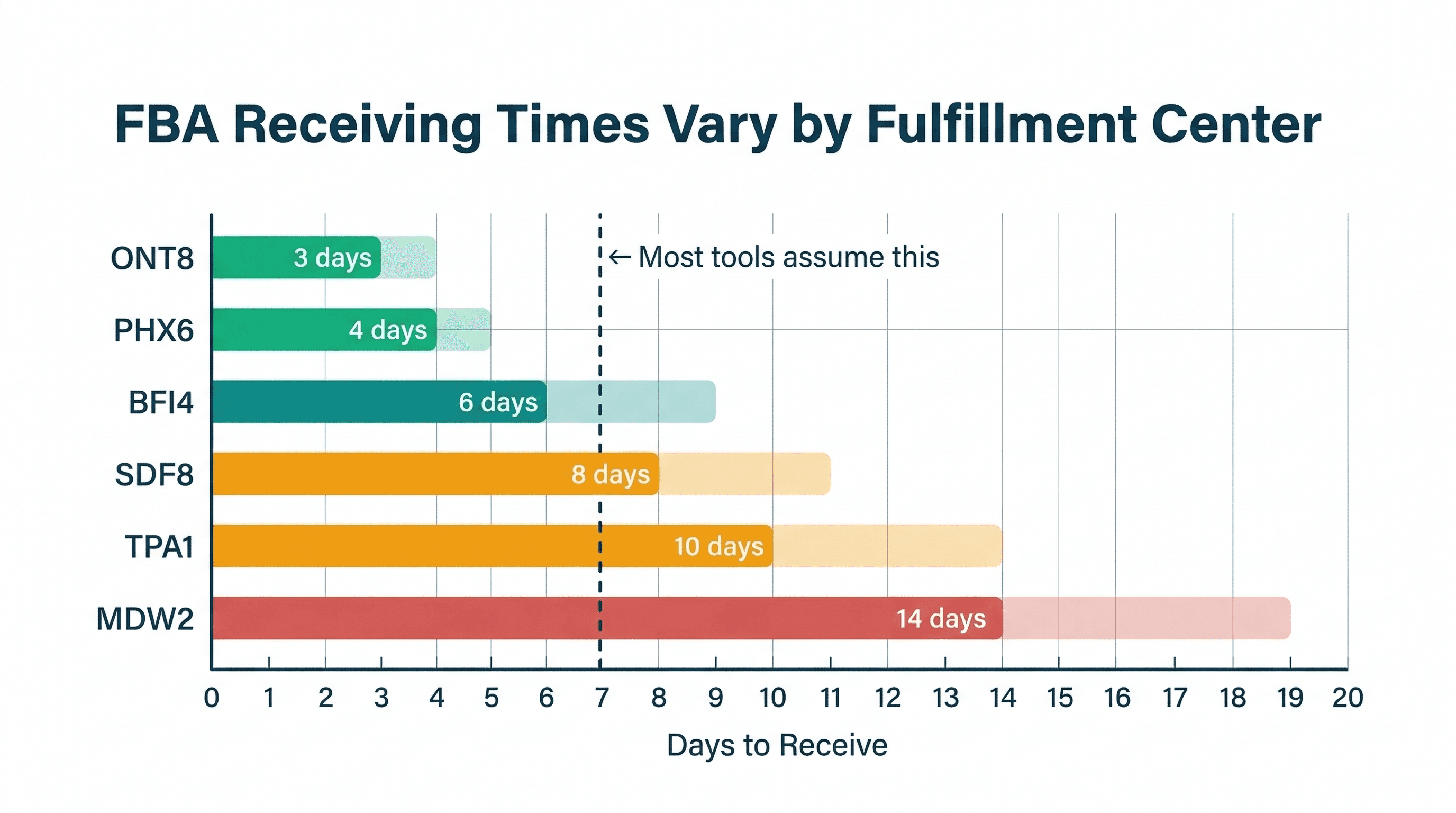
FBA Receiving Times by Fulfillment Center
Amazon FBA receiving times vary wildly by fulfillment center. Here's what the data shows and why a single lead time estimate is costing you money.
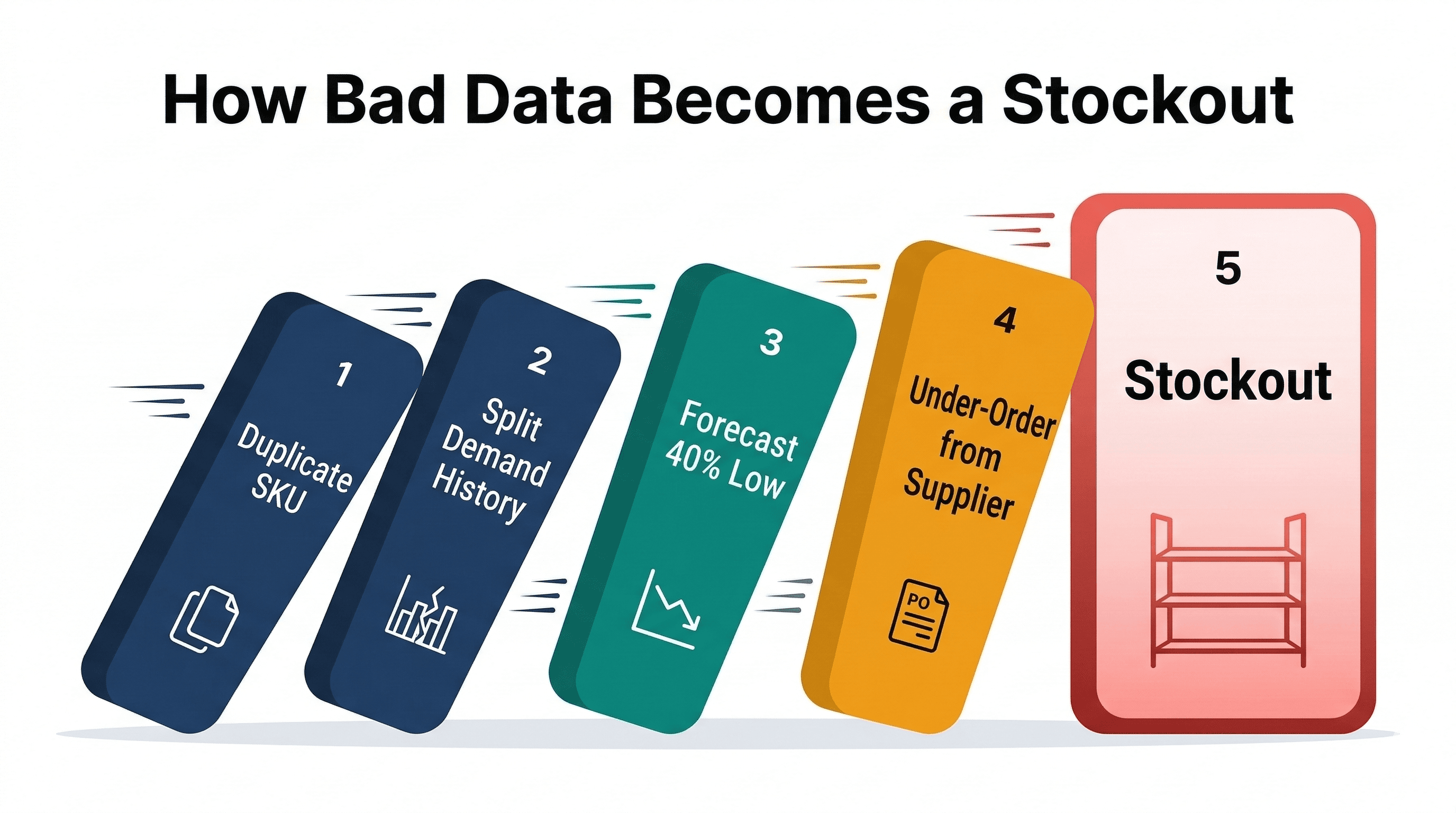
Your Inventory Data Is Wrong
How bad SKU data (duplicates, missing costs, unmatched listings, missing demand) breaks inventory forecasting and costs real money.
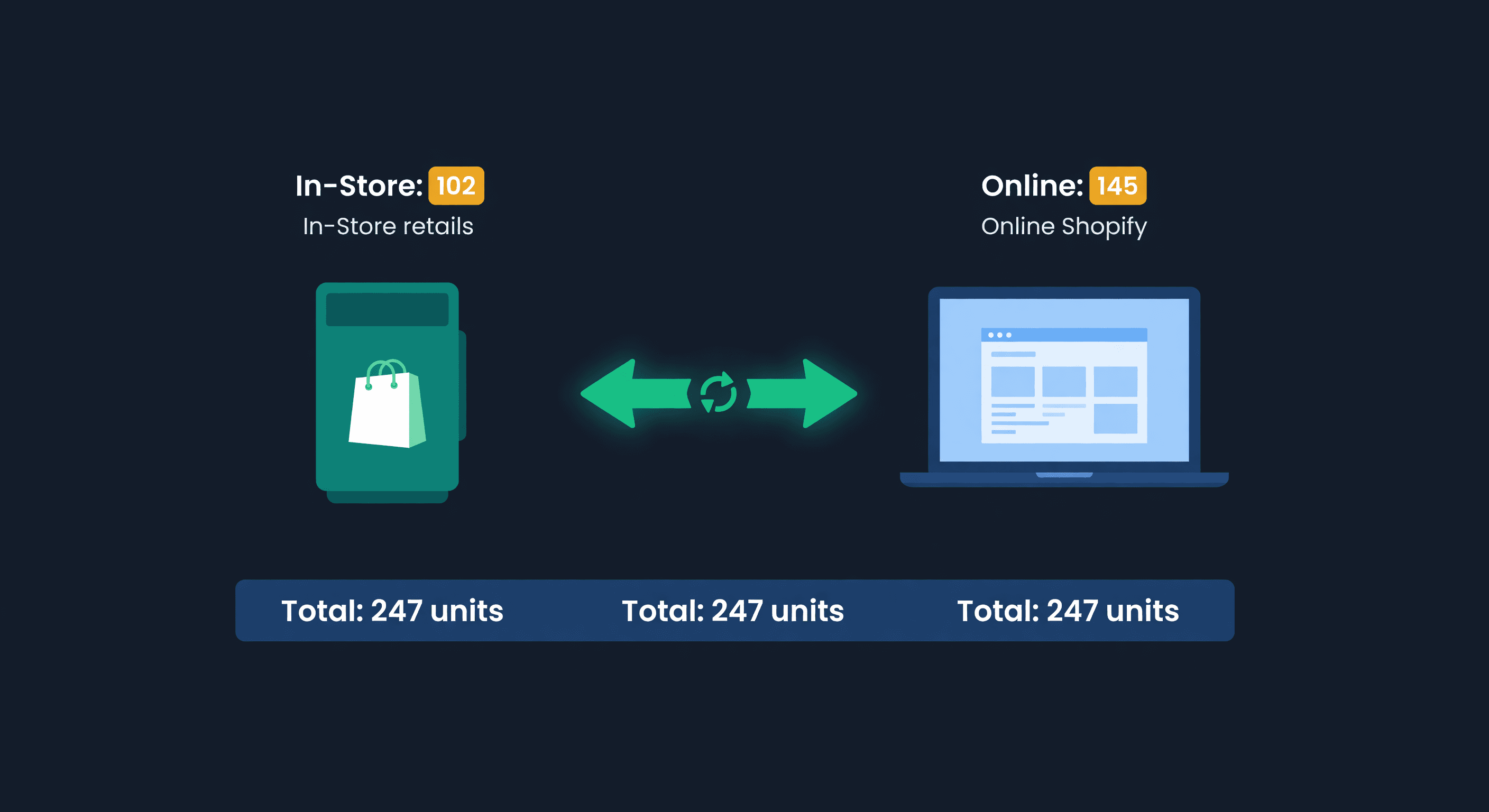
Shopify POS + Online Inventory Sync Guide
How Shopify POS syncs with your online store, where it breaks, and how to stop selling the last unit twice, with the buffer math to size your reserve.
