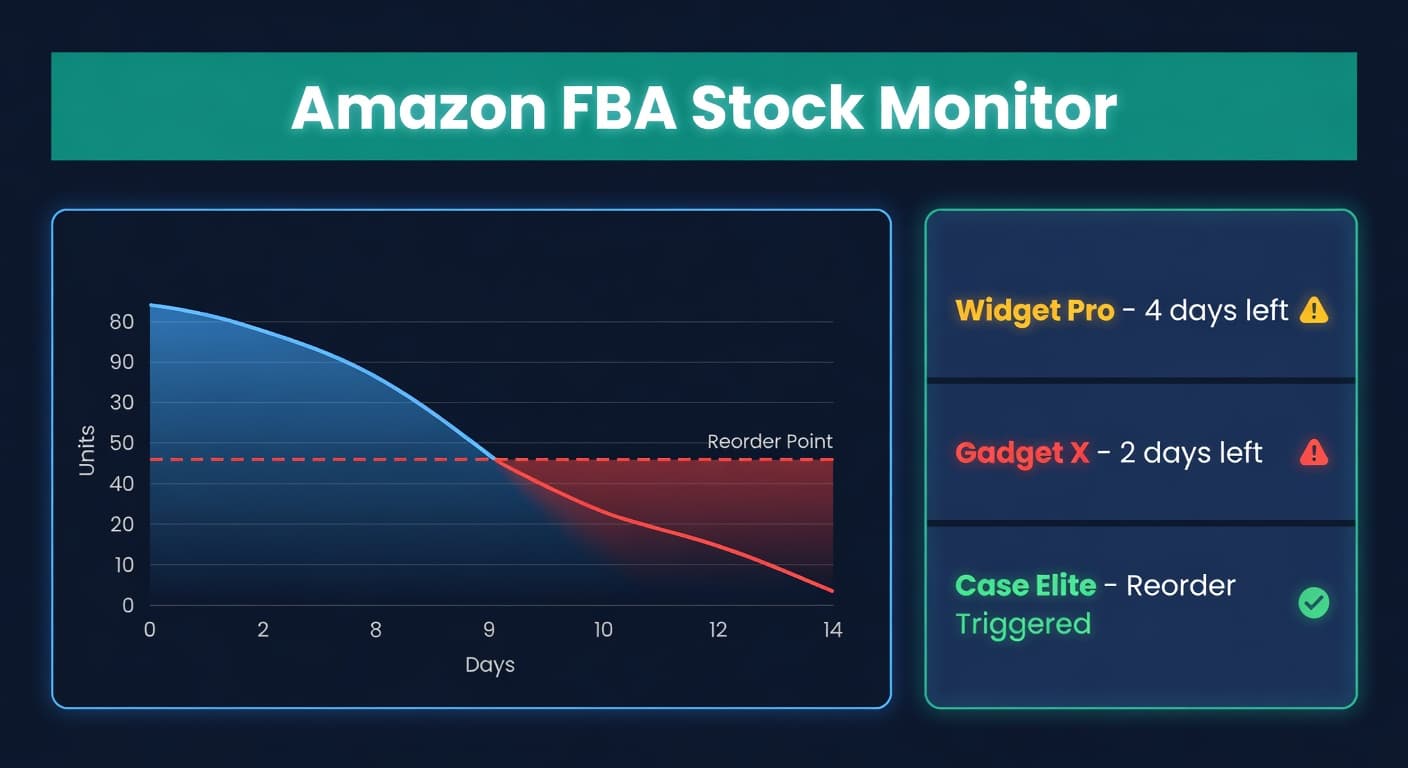
How to Prevent Stockouts on Amazon

Key takeaway: Amazon stockouts cost 2-3x the lost revenue when you factor in ranking drops, Buy Box loss, and IPI hits. Prevention comes down to three things: accurate lead time math, real safety stock calculations, and reorder points that actually update when conditions change. Recover by repricing low and running PPC hard for 2-3 weeks.
A Stockout on Amazon Is Not a Pause. It Is a Reset.
On Shopify, running out of stock is bad. On Amazon, it is catastrophic.
I talk to Amazon sellers every week who describe the same experience. They run out for five days, restock, and then watch their sales sit at 60% of pre-stockout levels for three weeks. The inventory came back. The momentum did not.
That gap between restocking and recovery is where the real money disappears. Not the five days of zero sales. The fifteen days of half sales afterward while the algorithm decides you are relevant again.
Why Amazon Stockouts Hit Harder Than Any Other Channel
Amazon's ranking algorithm rewards consistency. Consistent sales velocity, consistent availability, consistent conversion rates. A stockout breaks all three at once.
Here is what actually happens when your listing goes to zero:
| Impact | Timeline | Recovery |
|---|---|---|
| Buy Box loss | Immediate | 1-7 days after restock |
| Organic keyword ranking drop | Within 24-48 hours | 2-4 weeks |
| BSR collapse | Within 24 hours | 1-3 weeks |
| IPI score reduction | Next quarterly calculation | 1 quarter |
| Competitor captures your customers | Immediate | Some never come back |
That last row is the one sellers forget. While you are out of stock, Amazon is training your customers to buy from someone else. Every "Customers also bought" click that goes to a competitor during your stockout reinforces that competitor's relevance for your keywords.
The Dollar Math
I like to run this calculation because it makes the problem concrete.
Say you sell a product at $35 with a daily velocity of 20 units. A 7-day stockout:
Direct lost revenue: 7 days x 20 units x $35 = $4,900
But that is the small number. Here is the full picture:
| Cost Category | Amount |
|---|---|
| Direct lost sales (7 days) | $4,900 |
| Ranking recovery period (14 days at 50% velocity) | $4,900 |
| PPC spend to recover rank ($50/day x 14 days) | $700 |
| Emergency air freight (if applicable) | $500-$2,000 |
| Total real cost | $11,000-$12,500 |
That is 2.5x the direct revenue loss. For a single SKU. For one week. I walk through this math in detail in The Real Cost of Stockouts if you want the full breakdown including repeat customer loss.
What Actually Causes Amazon Stockouts
Most sellers blame demand spikes. In my experience talking to hundreds of FBA sellers, the real causes are more boring and more fixable.
Underestimating total lead time. Sellers think in terms of supplier lead time. But FBA lead time has three phases: supplier to your warehouse, your warehouse to Amazon, and Amazon check-in processing. That last phase alone can take 1-7 days, and during Q4 it regularly stretches to 14. If your reorder point only accounts for the first phase, you will stock out every time the pipeline gets slow.
I cover the full FBA lead time breakdown in Amazon FBA Restock Strategies, including the receiving time variance that catches most sellers off guard.
Static reorder points. You set a reorder point in January based on January sales velocity. By March, velocity has changed. By July, it has changed again. The reorder point did not change with it. This is the single most common cause of stockouts I see. Not bad math. Stale math.
No safety stock, or the wrong amount. Some sellers carry zero buffer. Others pick a round number ("I'll keep 100 extra units") with no relationship to their actual demand variability. The safety stock formula exists for a reason. Use it.
Ignoring FBA restock limits. Amazon caps how much you can store based on your IPI score. Sellers who do not monitor their limits discover the problem when they try to ship and Amazon says no. By then it is too late.
The Prevention Playbook
Preventing stockouts is not one thing. It is four things working together.
1. Calculate a Real Reorder Point
Your reorder point needs to account for total lead time, not just supplier lead time.
Reorder Point = (Average Daily Sales x Total Lead Time in Days) + Safety Stock
For an FBA product selling 20 units/day with a total lead time of 25 days (14 days supplier + 4 days transit + 7 days FBA check-in) and 10 days of safety stock:
Reorder Point = (20 x 25) + (20 x 10) = 500 + 200 = 700 units
That means when your FBA inventory hits 700, you should already have a shipment in motion. Not "start thinking about ordering." In motion.
Use our Reorder Point Calculator to run this for your own numbers.
2. Set Safety Stock Based on Math, Not Feelings
The textbook formula: Safety Stock = Z x sigma_LTD
Where Z is your service level factor (1.65 for 95%, 2.33 for 99%) and sigma_LTD is the standard deviation of demand during lead time.
If your daily demand has a standard deviation of 5 units and your lead time is 25 days:
sigma_LTD = 5 x sqrt(25) = 5 x 5 = 25 units
Safety Stock (95%) = 1.65 x 25 = 41 units
That is your minimum buffer. The Safety Stock Calculator does this math automatically, including the lead time variability component that most sellers skip.
Most sellers I talk to either carry zero safety stock ("I trust my forecast") or carry a flat percentage ("I add 20%"). The formula approach costs less and protects better because it scales with your actual risk profile. A stable product with a reliable supplier needs less buffer than a trendy item shipped from overseas.
3. Forecast Demand Instead of Guessing
"I sell about 20 a day" is not a forecast. A forecast accounts for trends, seasonality, and the fact that your Tuesday velocity is different from your Saturday velocity.
The difference matters. A seller doing $1M/year who improves forecast accuracy from 60% to 80% typically reduces stockout frequency by half. That is not a theoretical number. I have seen it repeatedly in the sellers I work with.
If you are still eyeballing demand, read Inventory Forecasting 101 for the practical version of how to build a forecast that actually works for e-commerce.
4. Build a Multi-Warehouse Buffer
Keeping all your inventory at FBA is convenient until Amazon loses a shipment, restricts your storage, or takes two weeks to check in your units. Sellers who maintain a domestic warehouse or 3PL as a staging area can react to FBA shortfalls in days instead of weeks.
The math: if FBA check-in takes 3-7 days from a domestic warehouse versus 14-28 days from your overseas supplier, your response time to an unexpected demand spike drops by 70%. That alone eliminates most panic stockouts.
How to Recover When It Happens Anyway
Prevention is the goal. But stockouts happen to everyone eventually. When one hits, speed matters more than perfection.
Week 1: Restock and reprice. Get inventory back to FBA by the fastest method available. While it is checking in, lower your price by 10-15% below your normal level. The algorithm rewards sales velocity, and a lower price accelerates the recovery.
Week 1-2: Increase PPC aggressively. Bid higher on your main keywords. Yes, your ACoS will be ugly. You are not trying to run profitable ads right now. You are trying to tell Amazon's algorithm that this listing is alive and converting.
Week 2-3: Monitor and normalize. Once velocity returns to 80%+ of pre-stockout levels, start easing price and PPC back to normal. Doing it too fast risks another velocity drop.
The total recovery cost is real. Budget $500-$2,000 per SKU in additional PPC and margin loss. It is cheaper than the alternative, which is waiting 4-6 weeks for organic recovery.
Automating the Hard Parts
The prevention playbook above works. I know because I have watched sellers implement it manually and cut their stockout rate dramatically. But "manually" is the problem word in that sentence.
Manual reorder points go stale. Manual forecasts get skipped when things are busy. Manual FBA lead time tracking stops happening after the first month.
We built ReplenishRadar to keep this math current without requiring you to touch a spreadsheet. Your reorder points update as sales velocity changes. Safety stock adjusts when demand variability shifts. FBA lead times reflect actual check-in performance, not the optimistic number you entered six months ago. When a reorder point triggers, you get an alert with a suggested PO quantity that accounts for your supplier's lead time and your FBA pipeline.
The sellers who stock out the least are not the ones with the best instincts. They are the ones whose systems run the calculations daily instead of quarterly.
Try ReplenishRadar free for 14 days
Related Reading
- The Real Cost of Stockouts for the full financial breakdown including customer lifetime value loss
- Safety Stock Calculation Guide for the complete formula with worked examples
- Amazon FBA Restock Strategies for the timing and quantity math
- Inventory Forecasting 101 for building a demand forecast that reduces stockout risk
Frequently Asked Questions
Get notified when it matters
Amazon and Shopify change the rules constantly. We'll email you when something affects your business.
See what your inventory is really doing
Doing $5M+ in revenue? Talk to our team
Related Posts
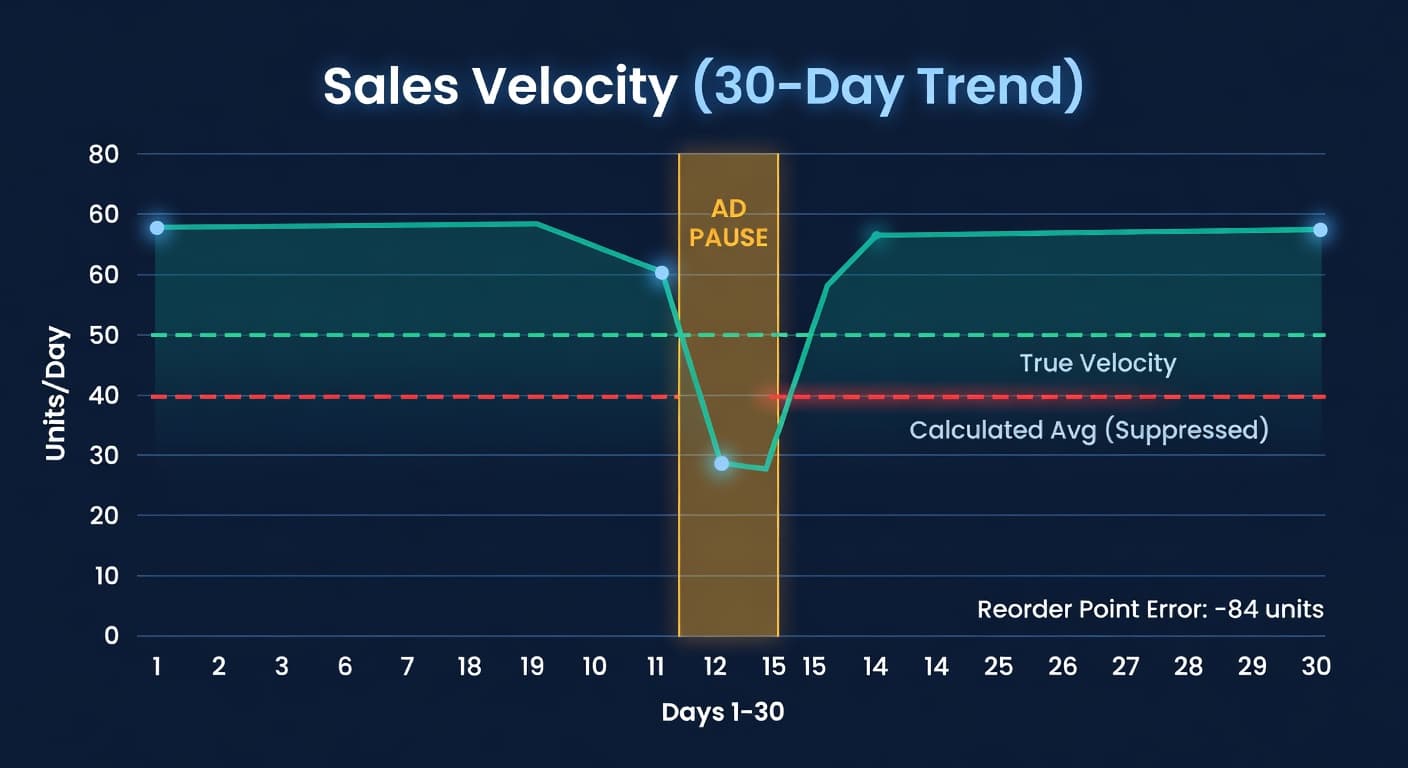
Why Your Reorder Points Are Wrong After an Ad Pause
Pausing Amazon ads tanks your velocity data. Here's the math on how that poisons reorder points and what to do about it.
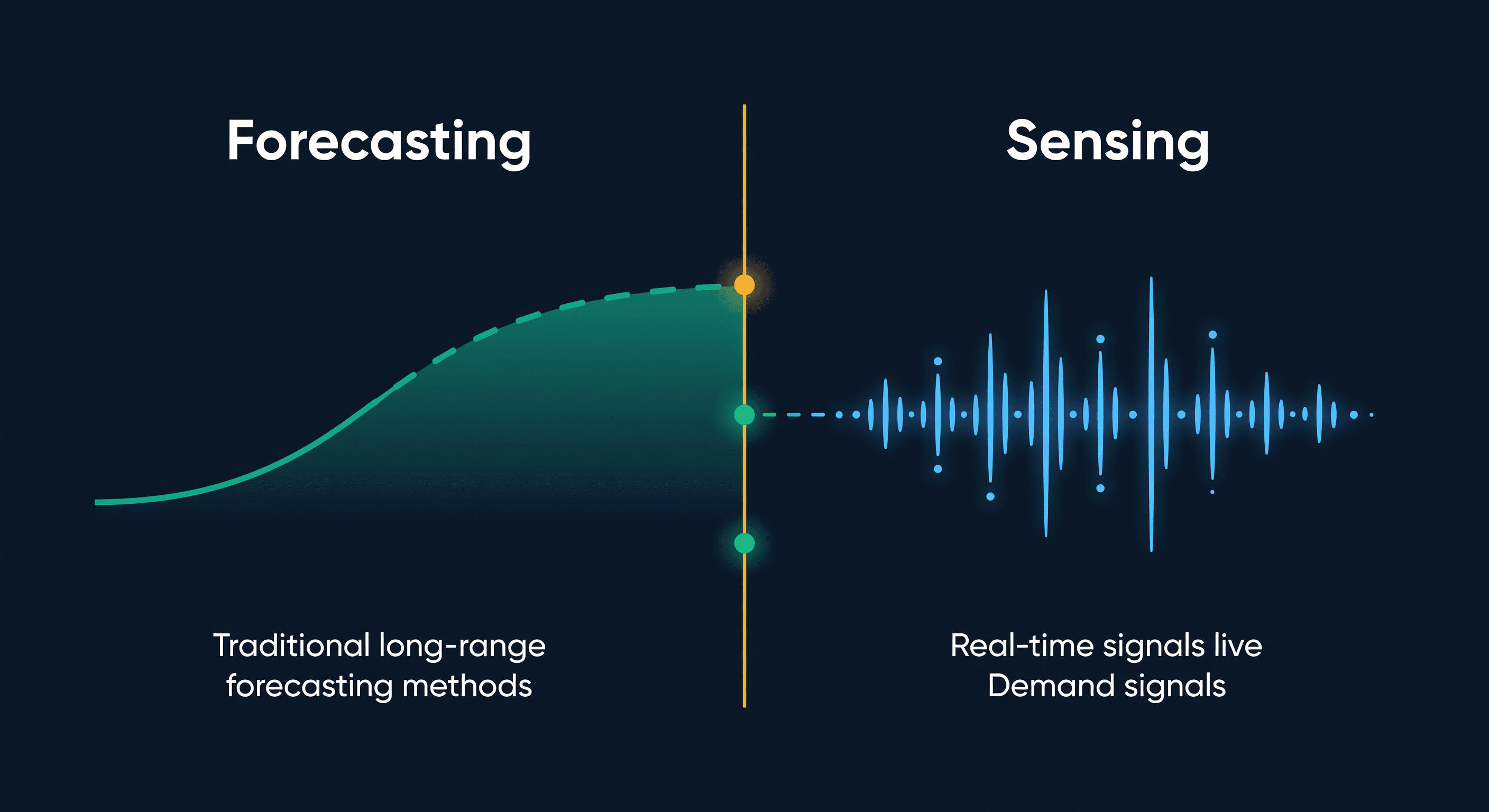
Demand Sensing vs Forecasting for E-commerce
What demand sensing actually is, how it differs from forecasting, why most e-commerce sellers only need one of them, and the practical middle ground.
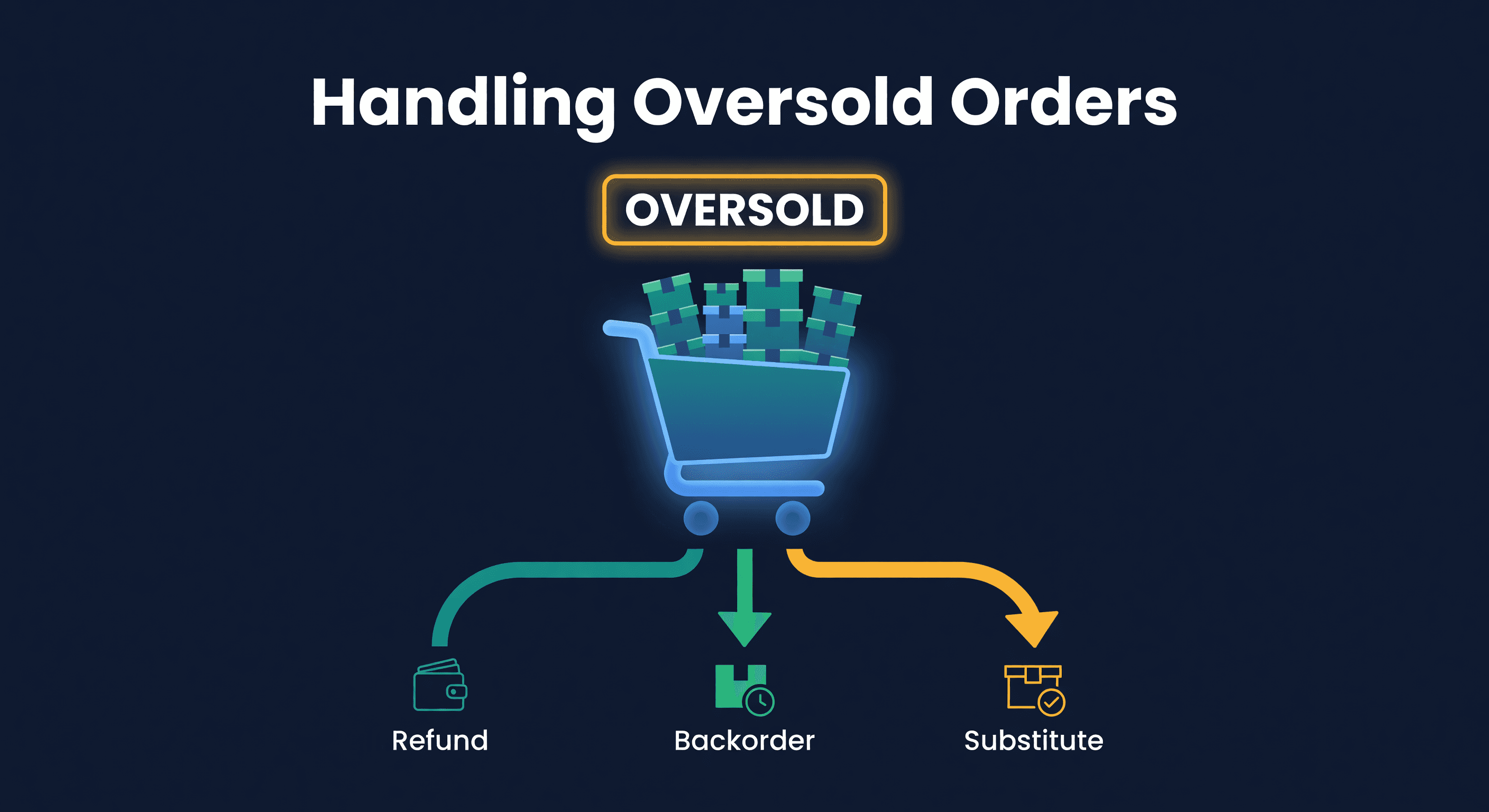
How to Handle Oversold Orders in E-commerce
Why overselling happens on multi-channel stores, what it costs you, and the prevention strategies that actually work, from buffer stock to real-time push sync.
