IEEPA Tariff Refund Portal: FBA Seller Guide

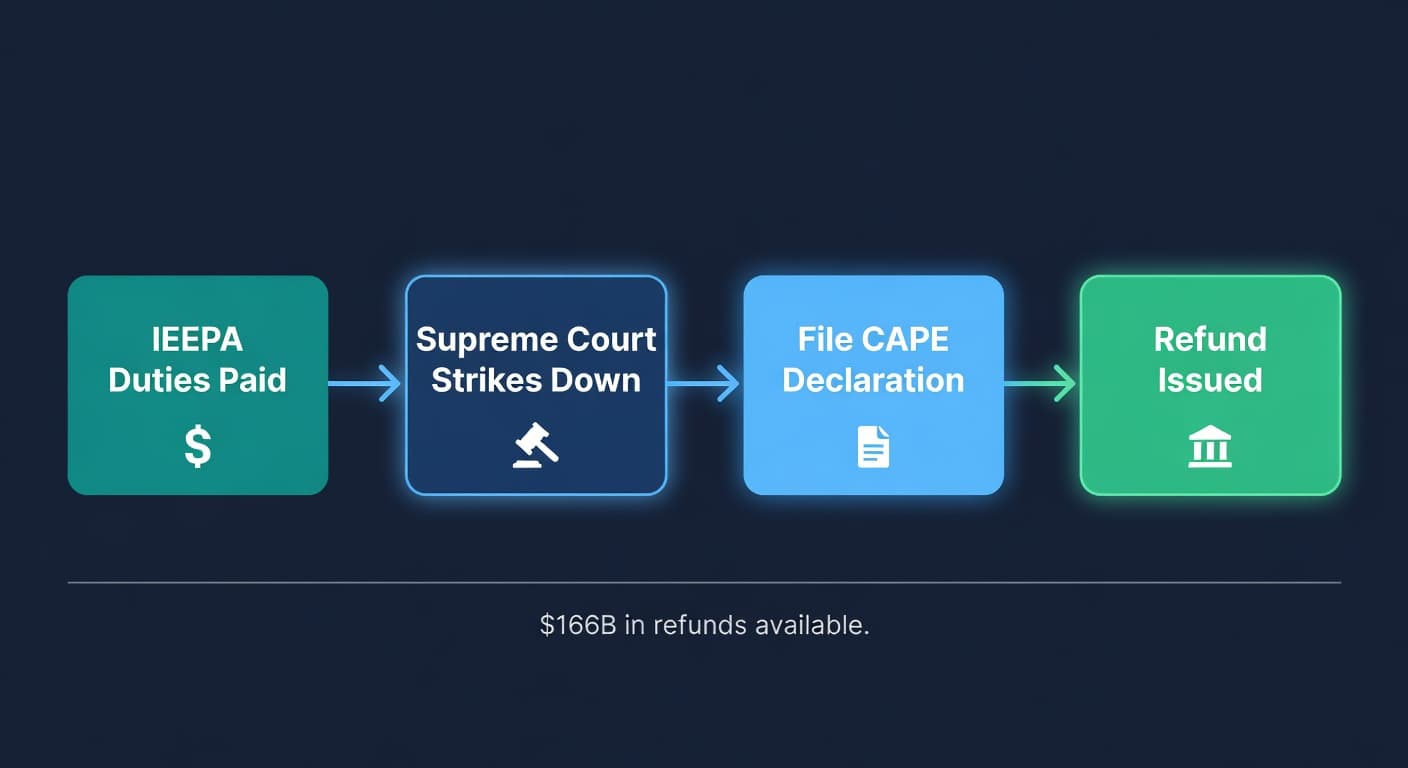
The Supreme Court ruled in February that the president cannot use IEEPA to impose tariffs. Six-three decision. Not close. Every IEEPA duty collected since the emergency declarations on goods from China, Canada, and Mexico is now refundable.
CBP's refund portal went live on April 20. It is called CAPE (Consolidated Administration and Processing of Entries), and it is a module inside the ACE system you may already use. Roughly $166 billion in duties were collected under IEEPA authority. Some of that money is yours.
But there is a catch that is going to bite a lot of FBA sellers. I have been watching the seller communities this week, and almost nobody is talking about it.
What IEEPA Tariffs Were
Quick background if you skipped the news cycle. Starting in 2025, the administration imposed emergency tariffs under the International Emergency Economic Powers Act. The rates ranged from 10% to 20% on imports from China, Canada, and Mexico, stacked on top of existing Section 301 and Section 232 tariffs. The legal justification was a declared national emergency around fentanyl and illegal immigration.
In February 2026, the Supreme Court decided Learning Resources, Inc. v. Trump and ruled that IEEPA does not grant the president authority to impose tariffs. The decision took effect February 24. The tariffs ended. Within hours, the White House pivoted to Section 122 of the Trade Act of 1974 as the new legal basis.
The IEEPA duties that were already collected? Those have to come back.
Who Gets the Money
Here is where it gets interesting. The refund does not go to whoever paid the supplier. It does not go to whoever ate the cost on their P&L. It goes to the Importer of Record on the customs entry.
If you are an FBA seller who ships ocean freight from your Chinese manufacturer to a U.S. port, clears customs under your own name, and then sends to FBA, you are probably the IOR. The refund is yours.
If you use a full-service freight forwarder and your name is on the customs entry summary? Still yours.
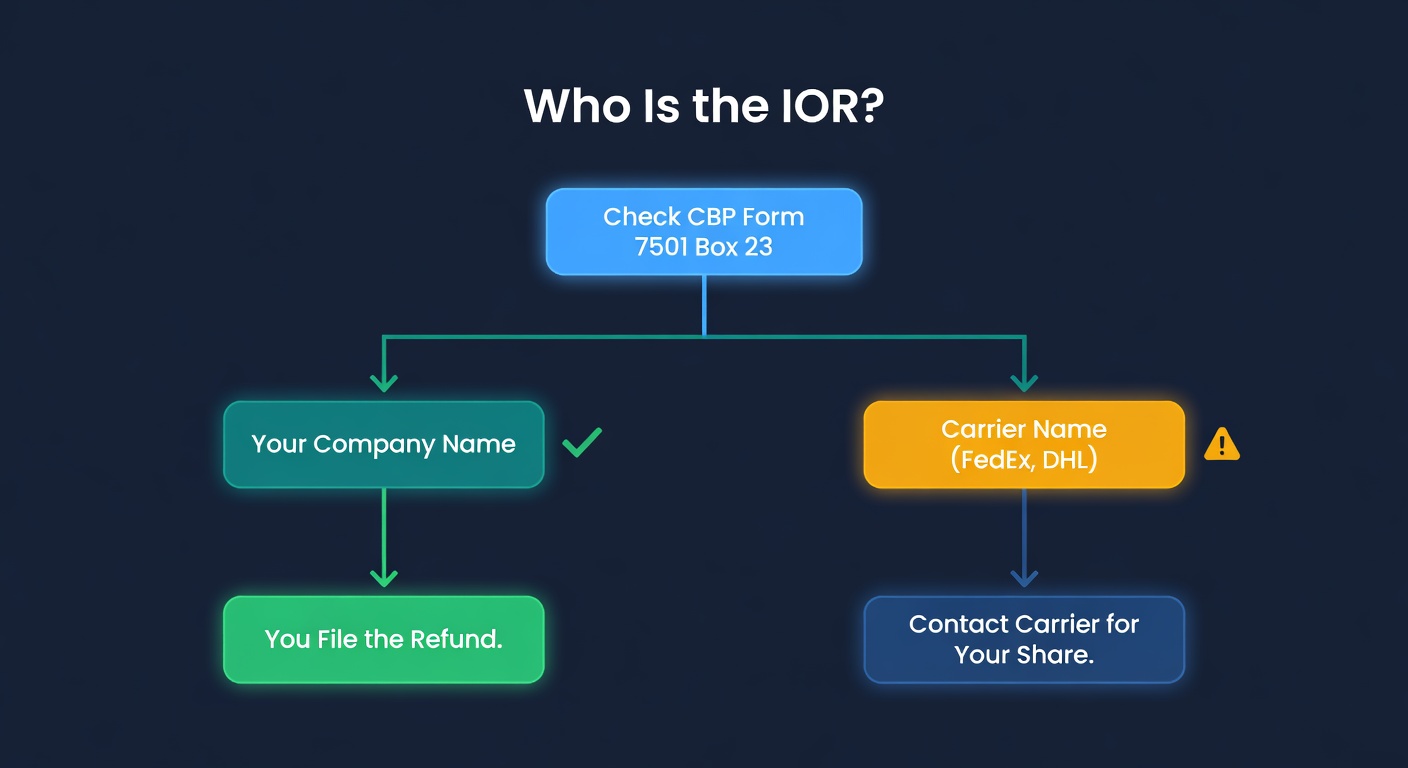
But if you used FedEx, DHL, or UPS air freight and they handled customs clearance, there is a real chance the carrier filed as the Importer of Record. Not you. Them.
That means the refund goes to the carrier.
The IOR Trap
This is the part I keep seeing sellers miss. I talked to a seller last week who shipped $240,000 worth of product from Shenzhen via DHL Express over the past year. Paid roughly $38,000 in IEEPA duties on top of existing tariffs. Assumed the refund was coming to him.
It is not. DHL filed as the IOR on every shipment. The CAPE portal will process the refund to DHL's ACE account, not his.
How to check where you stand:
Pull your customs entry summary. This is CBP Form 7501. Your customs broker should have it. If you used a freight forwarder, request it from them. Look at box 23, labeled "Importer of Record." If it is your company name and your IRS number, you are the IOR. If it says FedEx Trade Networks, DHL Express, or any carrier name, they are the IOR.
Check your ACE Portal account. Log into the ACE Secure Data Portal. If you have an "Importer" sub-account with your entry history visible, you can file directly. If you do not have an ACE account or there are no entries under your name, that is a sign someone else filed as IOR.
Talk to your broker. If you use a customs broker, they know who the IOR is on every entry. A 5-minute phone call clears this up.
If the carrier is the IOR, you are not necessarily out of luck. You paid them for the duties as part of your shipping charges. You have a contractual claim to request the refund from the carrier once they receive it. But that is a negotiation, not an automatic process. Start it now. Do not wait until FedEx has $50 million in refunds and a queue of 10,000 sellers asking for their share.
How to File Through CAPE
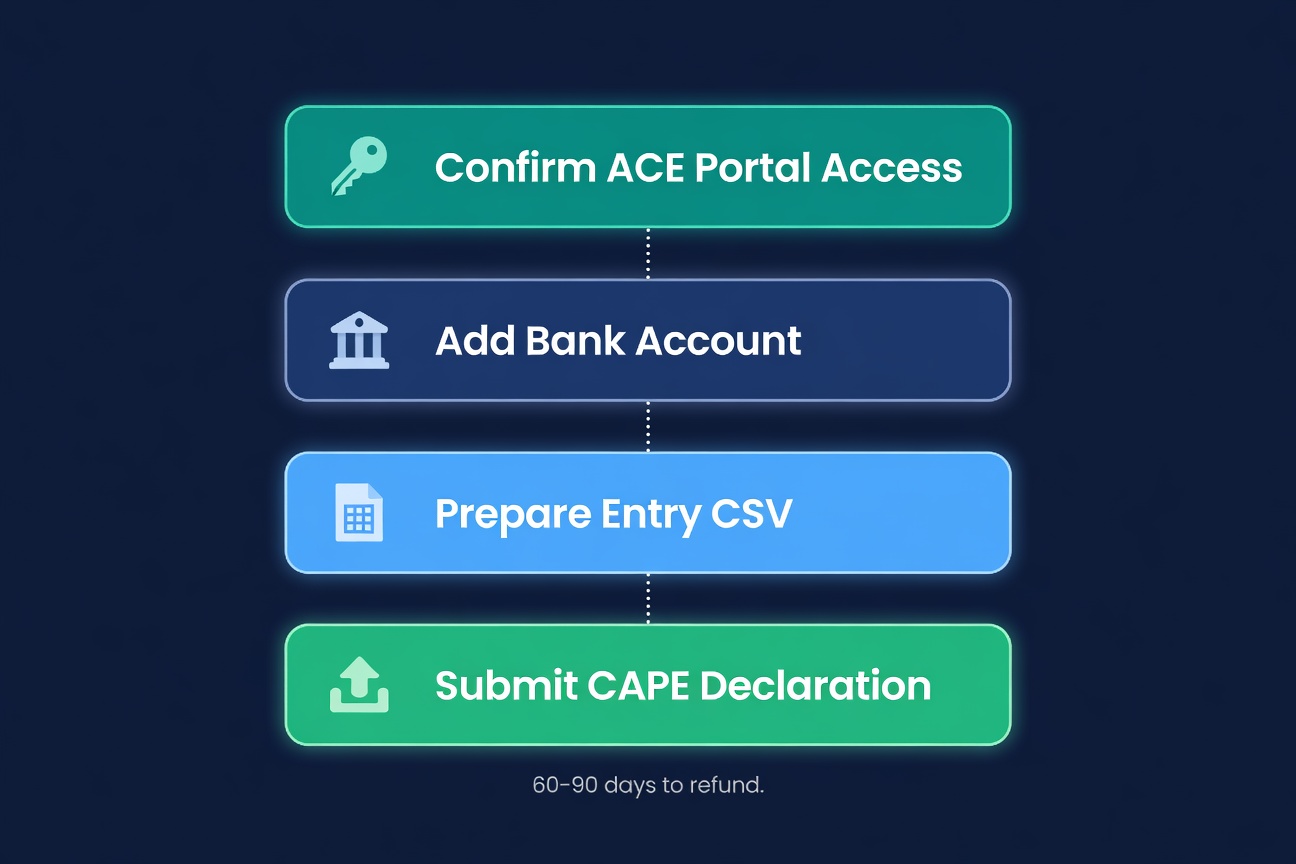
The process is straightforward if you are the IOR or you have an authorized customs broker:
Step 1: Confirm your ACE Portal access. You need a web-based ACE Secure Data Portal account. Not ABI (Automated Broker Interface). CAPE uses the web portal specifically. If you do not have one, apply at the CBP website. This takes a few business days.
Step 2: Add your bank account. CAPE refunds are electronic. Your bank account information needs to be in your ACE Portal profile under the "Importer" sub-account before you submit. Do this first. Do not wait until after you file.
Step 3: Prepare your CSV. CAPE accepts a CSV file listing the entry numbers for which you are requesting IEEPA duty refunds. Each declaration supports up to 9,999 entries. You need the entry summary numbers from your customs documentation. Your broker can generate this list in minutes.
Step 4: Submit the CAPE Declaration. Upload the CSV through the ACE Portal. The system validates the file format, confirms you are the IOR or authorized broker, and checks that IEEPA duties were actually declared on those entries. You will get validation results back with any rejections to correct.
Then you wait. CBP says 60-90 days for valid claims. Phase 1 covers the majority of formal and informal entries but excludes antidumping/countervailing duty cases, suspended entries, and drawback claims.
The Deadline Problem
There is a liquidation window you need to know about. Entries that are more than 90 days past liquidation cannot be reliquidated. Phase 1 of CAPE specifically targets unliquidated entries and entries within 80 days of liquidation.
If you imported heavily in early 2025 when IEEPA tariffs first hit, some of those entries may be approaching the liquidation deadline. Every week you wait is a week closer to losing the refund on your oldest entries.
File early. Do not wait for your broker to "get around to it." This is your money.
What the Refund Does to Your Numbers
Here is the part most sellers are not thinking about. A tariff refund is not just cash in your pocket. It retroactively changes your landed cost on every unit you imported during the IEEPA period.
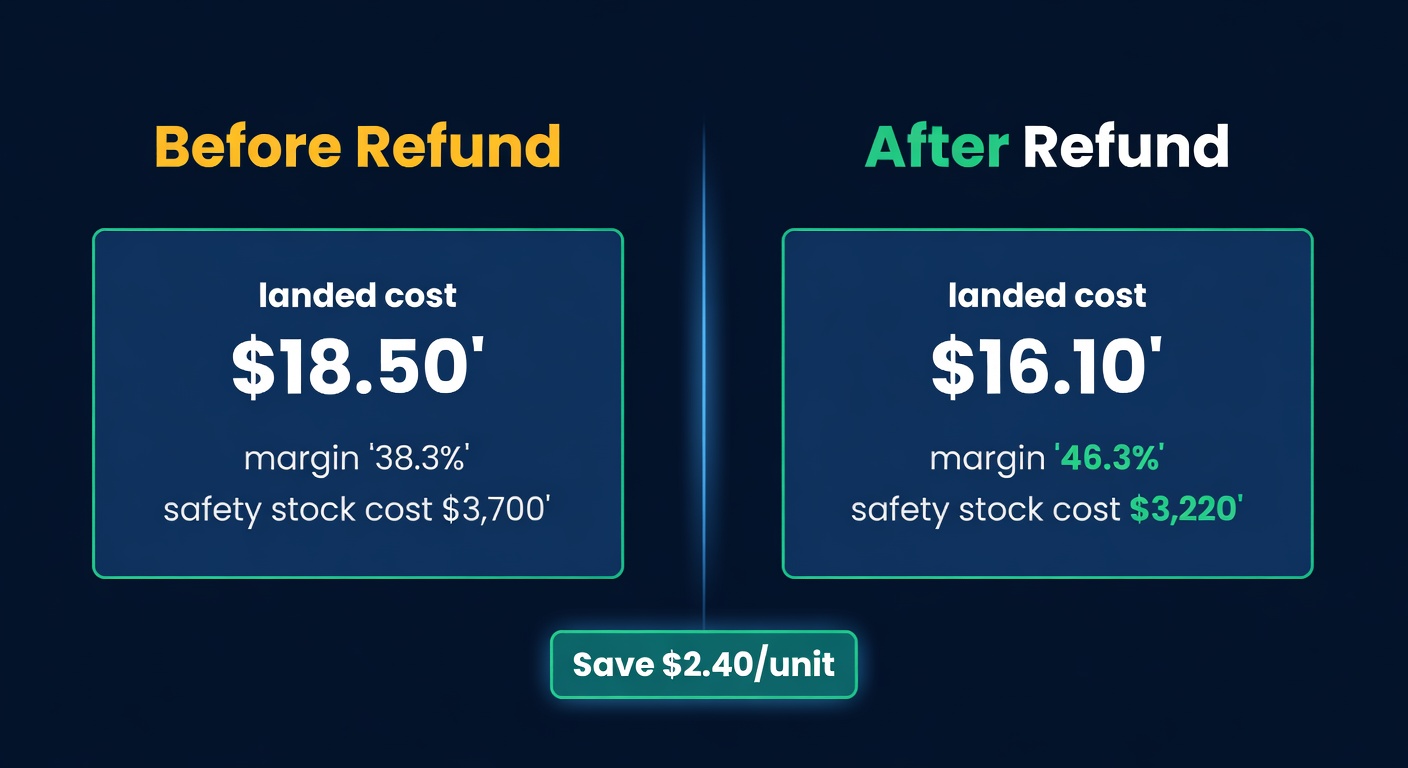
Run an example. Say you import a product with a $12 FOB cost from China. During the IEEPA period, you paid a 20% IEEPA duty on top of existing duties. That is $2.40 per unit in IEEPA-specific cost. Your total landed cost was calculated at $18.50 per unit including freight, insurance, existing tariffs, and IEEPA duties.
Remove the IEEPA component and your real landed cost was $16.10.
That matters for three reasons:
| Impact | Before Refund | After Refund | Difference |
|---|---|---|---|
| Landed cost per unit | $18.50 | $16.10 | -$2.40 |
| Margin at $29.99 sell price | 38.3% | 46.3% | +8.0 pts |
| Safety stock cost (200 units) | $3,700 | $3,220 | -$480 |
| EOQ (at 500 units/mo) | 412 units | 443 units | +31 units |
Your safety stock calculation uses cost per unit to determine holding cost. Lower landed cost means lower holding cost, which means your optimal safety stock quantity goes up slightly. You can afford to hold a bit more buffer.
Your reorder point does not change from the refund alone (it depends on demand and lead time, not cost). But if you were under-ordering because tariffs made each unit expensive, you should recalculate with the corrected numbers.
And your EOQ shifts. The Economic Order Quantity formula has cost per unit in the denominator of the holding cost component. Lower unit cost means lower holding cost per unit means larger optimal order sizes. At the $2.40 difference in our example, that is 31 more units per order at 500 units per month of demand.
Do Not Forget Future Orders
The IEEPA tariffs are gone, but you are still paying tariffs. The White House replaced IEEPA authority with Section 122 tariffs within hours of the Supreme Court decision. Your tariff strategy still matters. What changed is the specific legal basis and potentially the rates.
If your buying spreadsheet still has the old IEEPA rate baked into your landed cost formula, update it. You are over-estimating your landed cost on new orders, which means you are either over-pricing or under-ordering. Both cost you money.
Keeping Your Landed Costs Accurate
Tracking all of this in a spreadsheet is a headache even when tariff rates are stable. When rates change retroactively (which is exactly what a refund does), it gets worse. You have to go back and recalculate every SKU that was affected, update your safety stock, adjust your reorder quantities, and hope you do not miss one.
We built landed cost tracking into ReplenishRadar for exactly this reason. When your cost inputs change, the downstream calculations update automatically: reorder points, safety stock, purchase order suggestions, all of it. You update the landed cost once and everything downstream recalculates. No SKU-by-SKU spreadsheet audit.
Try ReplenishRadar free for 14 days ->
The Clock Is Running
File your CAPE Declaration now if you are the IOR. If your carrier is the IOR, contact them this week about getting your share of the refund. And either way, update your landed cost numbers so your forward-looking inventory decisions are based on the correct unit economics.
The 90-day-past-liquidation window is not flexible. Your oldest IEEPA entries are the most at risk. The sellers who file first get paid first. The sellers who wait may find that some of their entries have aged out of eligibility.
$166 billion in refunds is sitting at CBP. Go get yours.
Related Reading:
- Tariffs and Inventory Strategy in 2026 - how tariff uncertainty changes your buying decisions
- How to Calculate True Landed Cost - the full formula with every hidden cost
- Safety Stock Calculation Guide: adjust your buffers when cost changes
- Reorder Point Calculator: the math behind when to reorder
Frequently Asked Questions
Get notified when it matters
Amazon and Shopify change the rules constantly. We'll email you when something affects your business.
See what your inventory is really doing
Doing $5M+ in revenue? Talk to our team
Related Posts
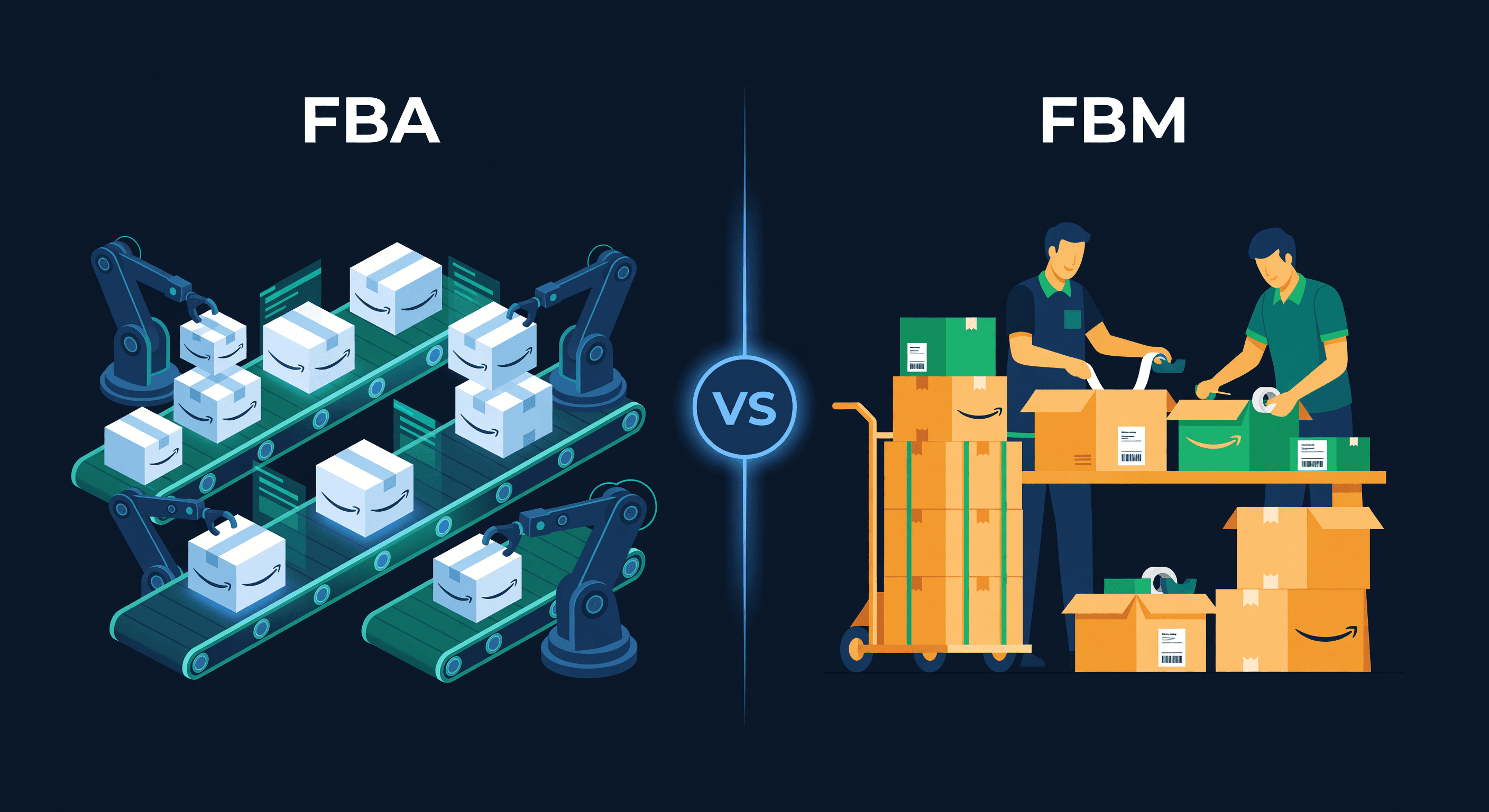
Amazon FBA vs FBM: Inventory Planning Guide
FBA vs FBM vs Seller Fulfilled Prime cost comparison with inventory planning differences. When each option wins and how to run hybrid.
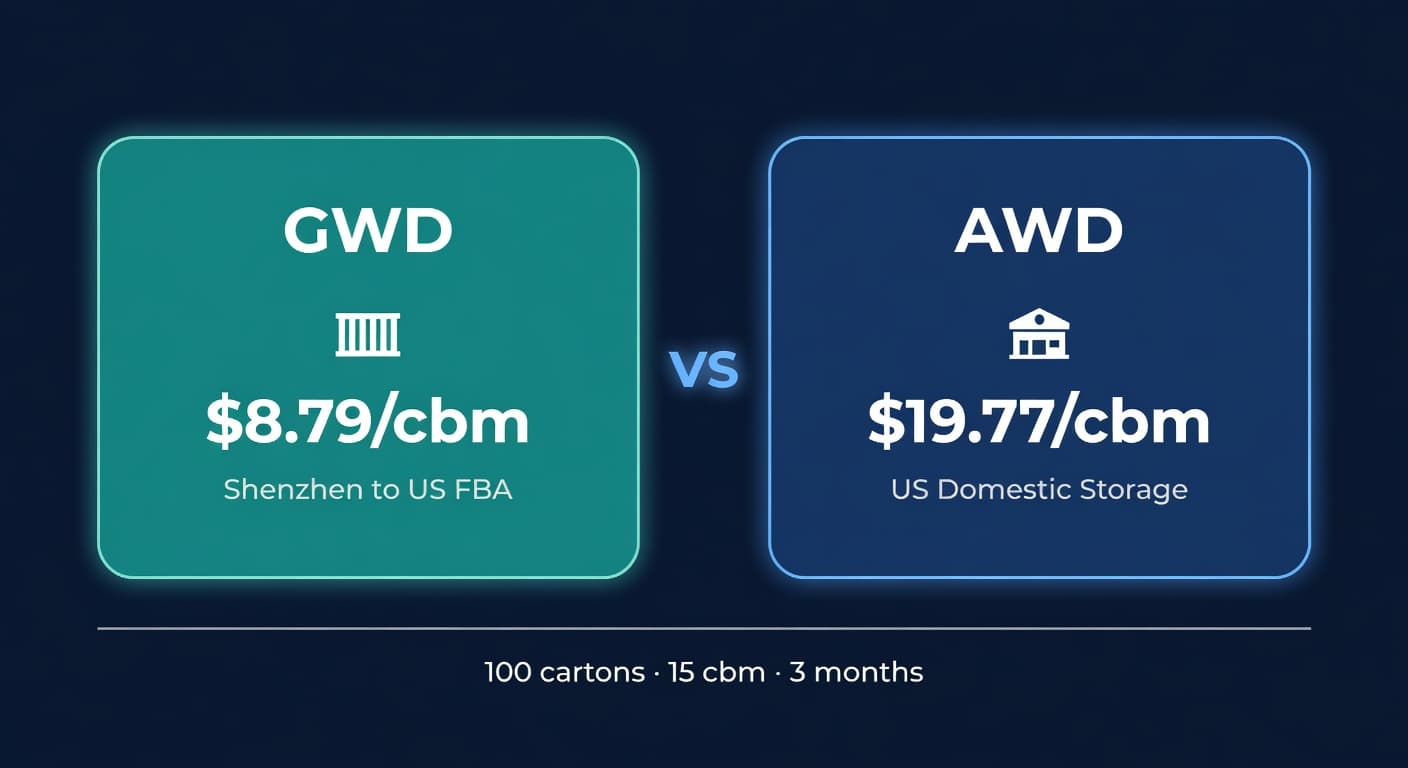
Amazon GWD: Fee Math, Pipeline Risk, and Who It Fits
Amazon's new Global Warehousing and Distribution program stores inventory in Shenzhen. Here's the real cost breakdown and what sellers should watch for.
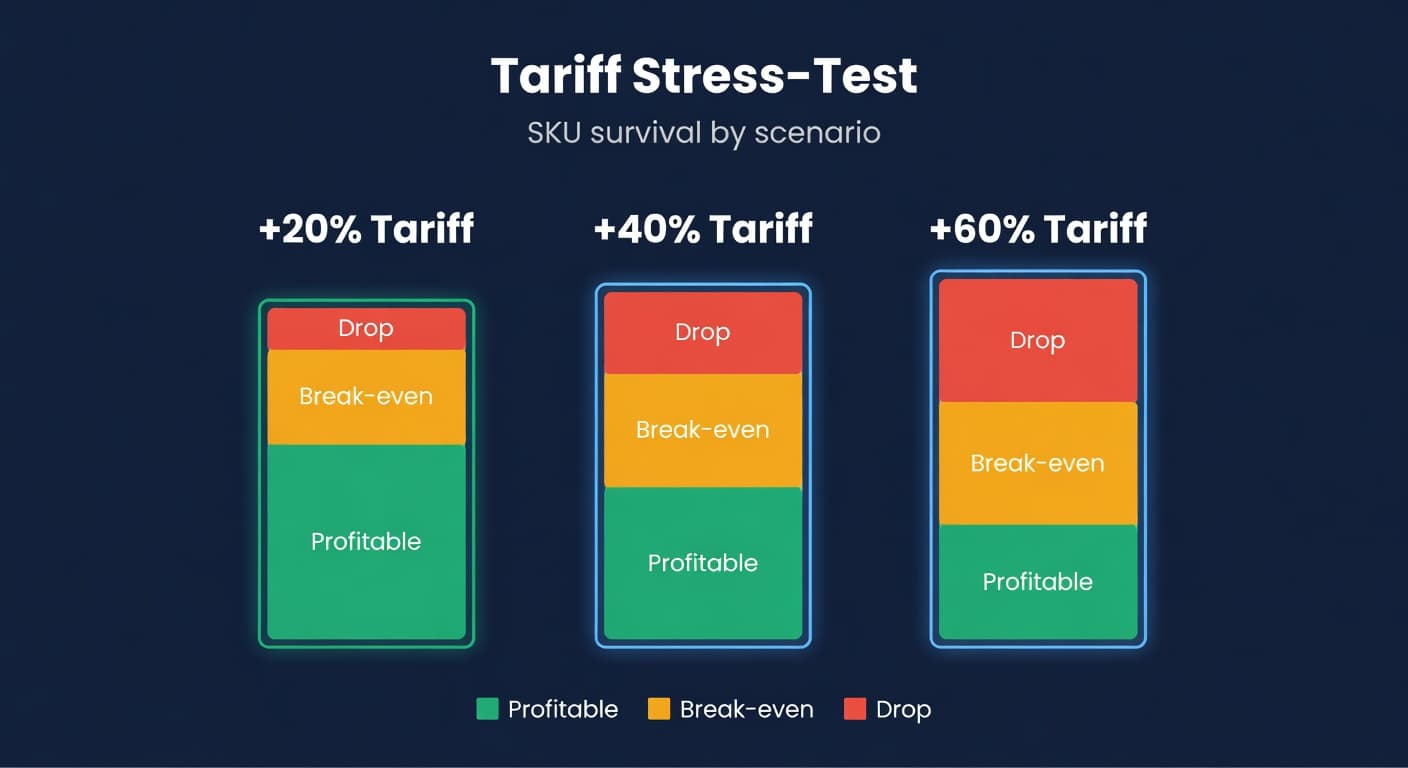
How to Tariff Stress-Test Your FBA Catalog
A SKU-level tariff stress-test workflow for FBA sellers. Apply +20%, +40%, +60% scenarios, find break-even prices, and decide what to keep.
