ReplenishRadar Is Live
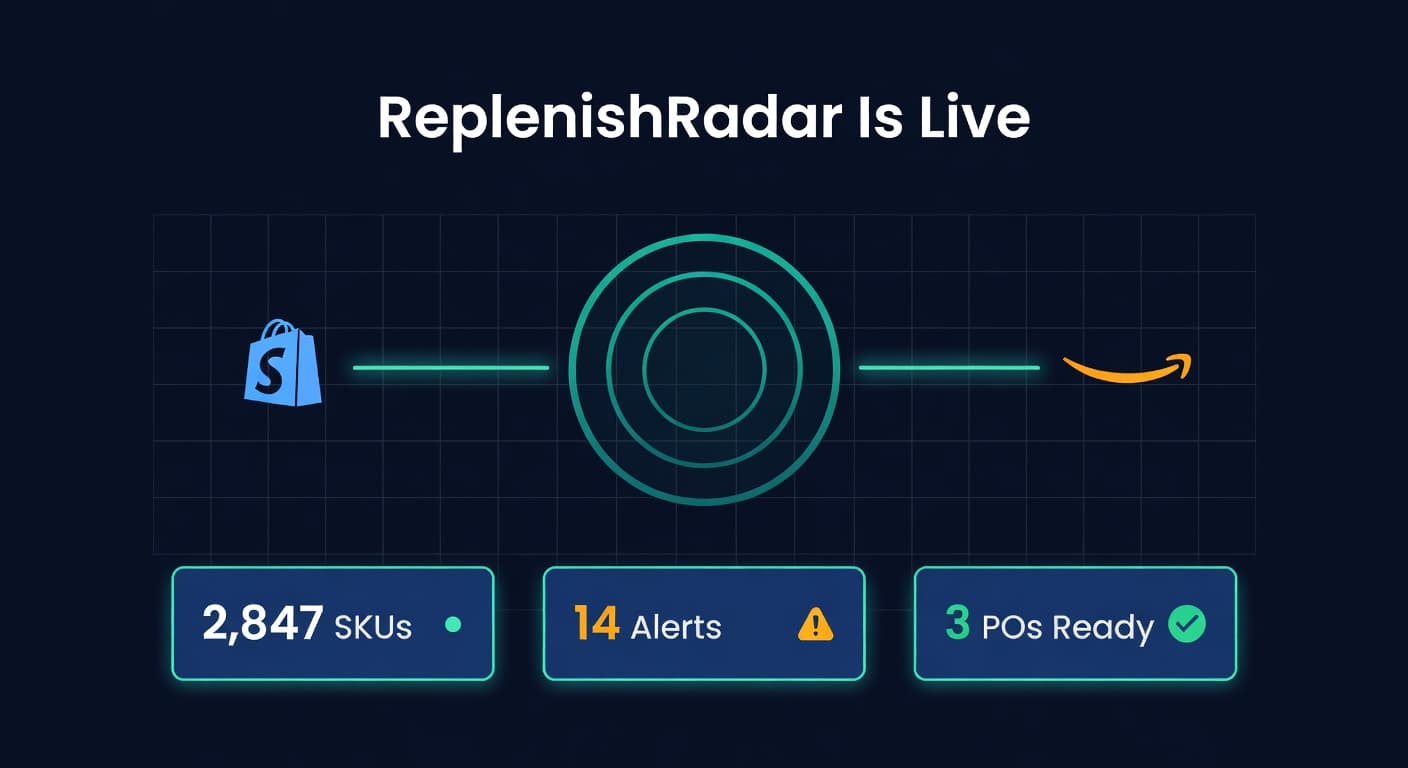
We shipped it.
ReplenishRadar is live. You can sign up right now, connect your Shopify or Amazon accounts, and have a full inventory picture within minutes. No demo call. No waitlist. No "request access" form that routes to a sales team.
I want to tell you what we built and why, because this is not another inventory app.
The Problem We Kept Running Into
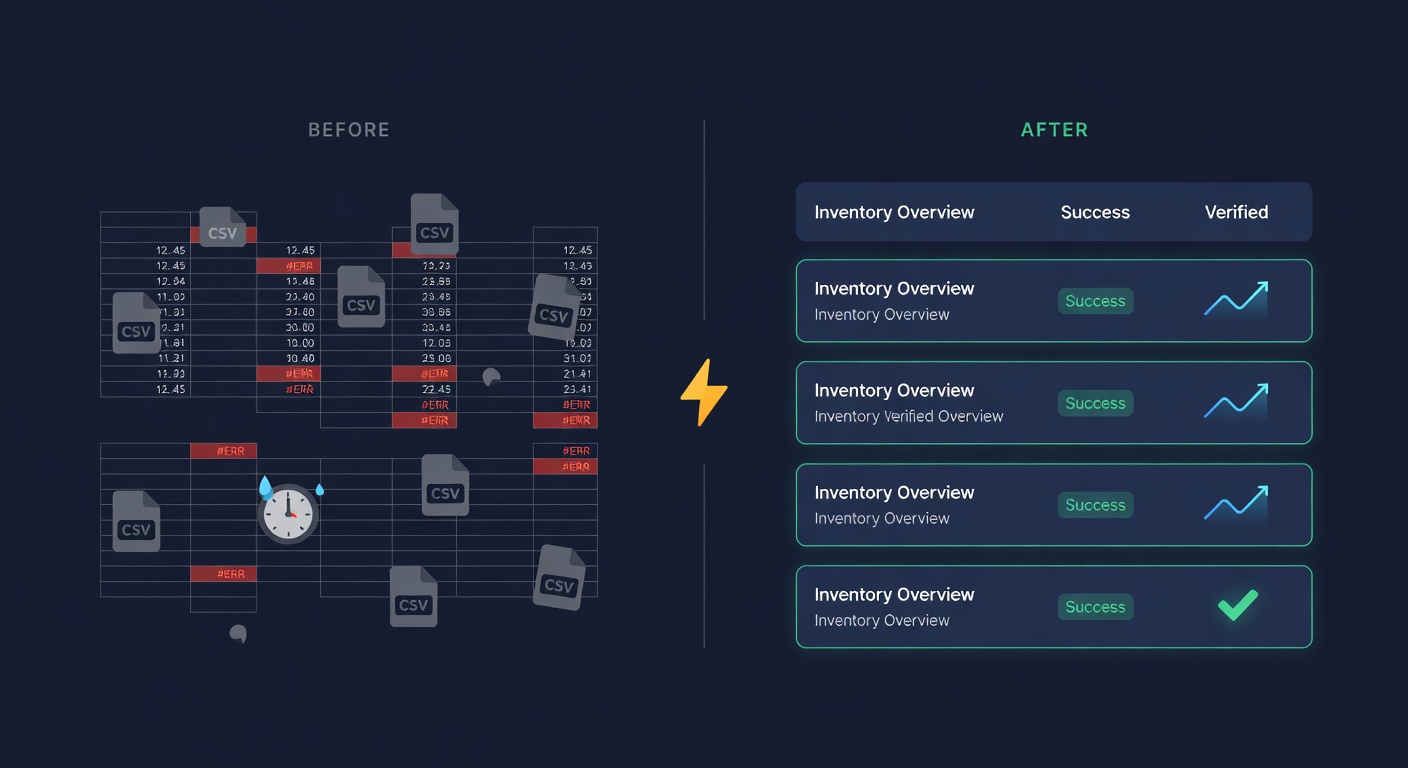
I have managed inventory across Shopify and Amazon for years. The workflow looked like this: export CSV from Shopify, export CSV from Seller Central, paste both into a spreadsheet, run some formulas, squint at the numbers, place orders based on gut feel dressed up as math.
That process worked fine at 30 SKUs. At 200 it was painful. At 500 it was a second job.
The tools that existed fell into two buckets. Simple ones that synced stock levels but could not forecast. And enterprise systems that cost $2,000/month, required a consultant to set up, and assumed you had a demand planning team. Nothing sat in the middle where most growing sellers actually live.
So we built the middle.
What ReplenishRadar Actually Does
ReplenishRadar connects to your Shopify and Amazon accounts through their official APIs -- Shopify Admin API (OAuth) and Amazon SP-API. No screen scraping. No browser extensions. Your inventory positions sync automatically, and the system builds a unified view across every channel and location.
From there, it does three things:
Predicts when you will run out. The demand forecasting engine looks at your sales history, accounts for trends and seasonality, and tells you which SKUs will stock out and when. Not a vague "low stock" badge. A specific date, with the math behind it.
Tells you what to order. Purchase order suggestions land in your queue with quantities already calculated. They account for your supplier's lead time, minimum order quantities, casepack requirements, and how much working capital you want to commit. You review, adjust if needed, approve, done.
And then there is a piece most tools skip entirely: what happens after you place the order. Every PO you close feeds back into the system. If your supplier's real lead time is drifting from what they promised, you see it. Your safety stock calculations adjust accordingly.
That is the core. It sounds simple because it should be simple. The complexity is in the math underneath, not the workflow on top.
Three Things Nobody Else Does
I will be direct about what makes ReplenishRadar different, because "better inventory management" is not a differentiator. Every tool claims that.
Your Supplier Orders on Tuesdays. Your Math Should Know That.
Most reorder point formulas assume you can place an order any day. Continuous review. The textbook version.
But your seafood supplier takes orders on Mondays for Thursday delivery. Your overseas manufacturer processes POs on the 1st and 15th of each month. If your reorder point triggers on a Wednesday and your supplier does not process until the following Monday, you have five days of unplanned exposure.
ReplenishRadar accounts for supplier ordering cadences. The reorder point calculation shifts from continuous to periodic review, which changes the safety stock math entirely. I wrote about why this matters in Your Reorder Point Formula Is Wrong. Ignoring ordering cadence can undercount your required safety stock by 20-40%.
Not All FBA Warehouses Check In at the Same Speed
If you sell on Amazon, you know the pain of sending inventory to FBA and waiting. What you may not know is how much the wait varies by fulfillment center.
We track receiving performance across FBA fulfillment centers -- the ship phase, the processing phase, the time until units show as available. Some FCs consistently check in shipments in 3 days. Others take 12. That variance matters when you are calculating how much buffer to hold and when to send your next transfer. ReplenishRadar factors per-FC performance into its FBA restock recommendations so your buffer matches reality, not Amazon's generic estimate.
MOQ + Casepack + Budget Cap. All at Once.
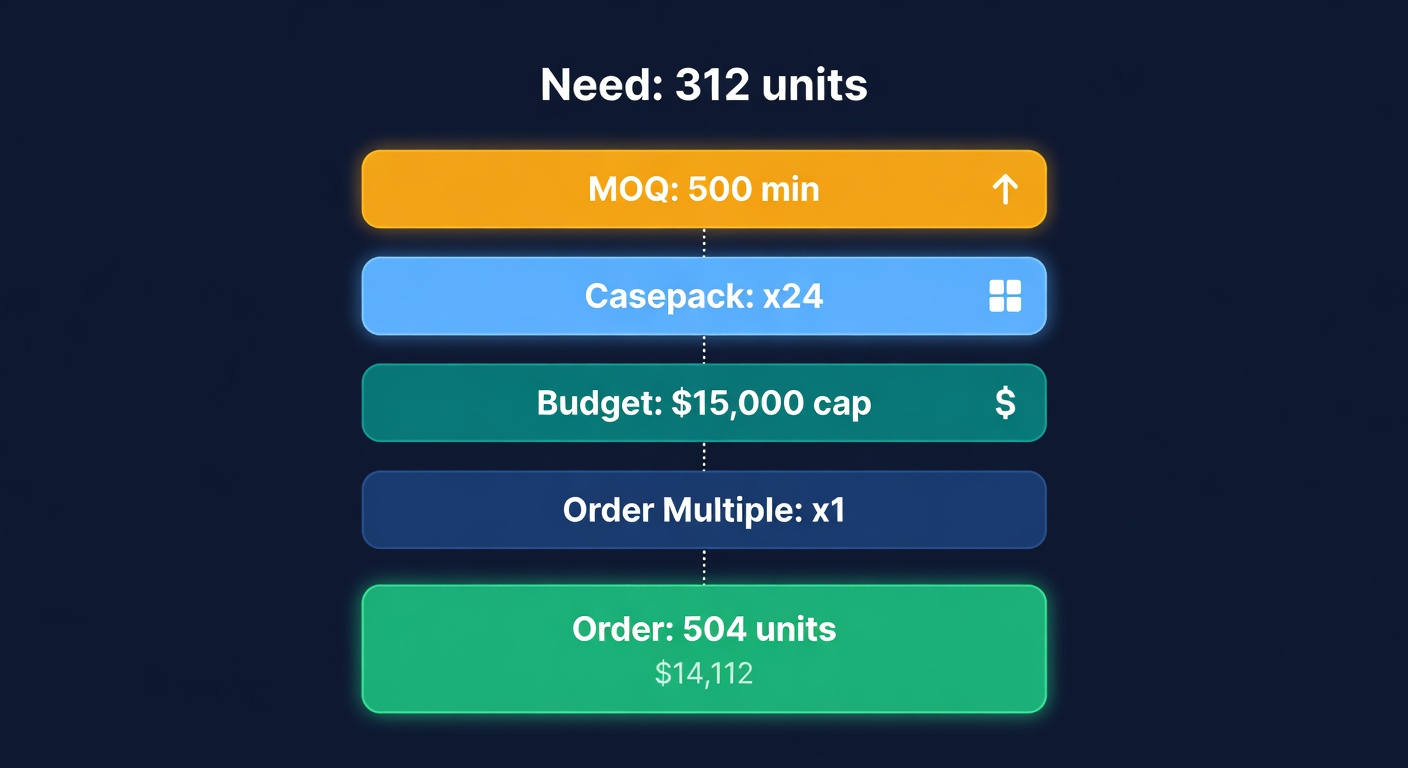
Here is a scenario I have lived through more times than I want to admit. Your supplier's MOQ is 500 units. They ship in cases of 24. You have $15,000 of working capital budgeted for this order. Your reorder formula says you need 312 units.
What do you actually order? 312 rounds up to the MOQ of 500. But 500 is not divisible by 24 (casepack), so it goes to 504. At $28/unit, 504 costs $14,112 -- under your cap, so that works. But what if the price were $31? Now 504 costs $15,624, which blows your budget. Do you round down to 480 (20 cases)? That is below MOQ.
ReplenishRadar resolves these constraints simultaneously. MOQ, casepack, order multiples, and working capital cap. The system finds the right number instead of you doing the puzzle in your head at 11pm.
AI Agents Can Talk to Your Inventory Now
This one is for the sellers who have started using AI agents for other parts of their business and wondered why inventory was still a manual lookup.
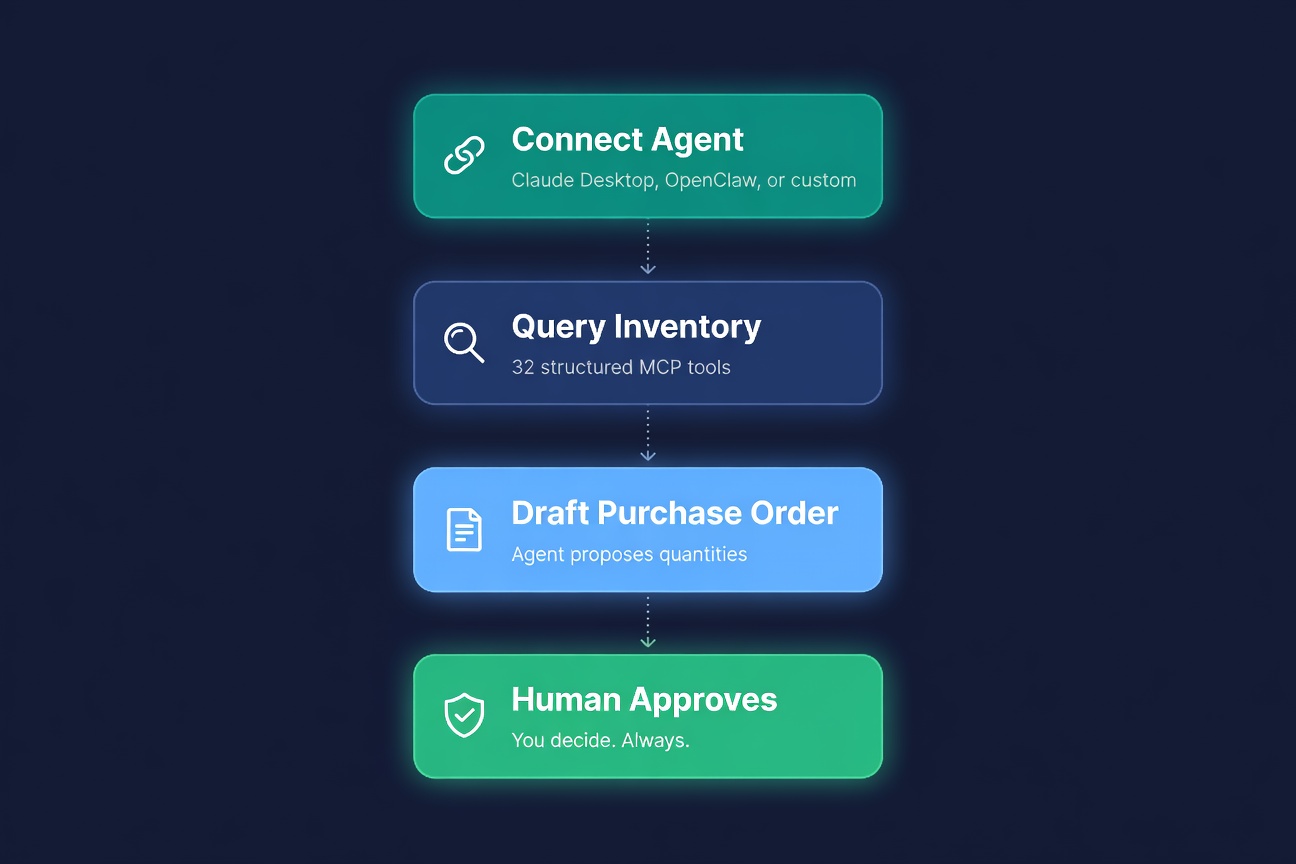
ReplenishRadar ships with an MCP server -- 32 structured tools that any MCP-compatible AI agent can call. Claude Desktop, OpenClaw, custom Python scripts, n8n workflows. The agent asks "What is stocking out this week?" and gets a real answer from real data, not a hallucination based on training data from 2024.
Growth tier gets read-only access: query stock levels, pull forecasts, check alerts. Scale tier adds write access: draft purchase orders, trigger syncs. Every write operation produces a draft that requires your approval. The agent proposes. You decide.
I covered the full setup in Connect Your AI Agent to Amazon and Shopify Inventory. It takes about five minutes with Claude Desktop.
This is, as far as we can tell, the first production-grade MCP server for multi-channel inventory -- not a demo or a prototype, but thirty-two tools with type safety, rate limiting, and org-scoped authentication.
Pricing
We kept it simple. Three tiers, one question: how many SKUs and stores do you have?
| Plan | Monthly Price | SKUs | Stores | Sync Interval |
|---|---|---|---|---|
| Standard | $99 | 2,000 | 2 | 30 min |
| Growth | $199 | 20,000 | 5 | 15 min |
| Scale | $499 | 50,000 | 10 | 5 min |
These are launch prices, available through September 1, 2026. Standard goes to $119, Growth to $249 after that. Scale stays at $499.
Enterprise pricing is custom for sellers who need more than 50,000 SKUs or 10 stores.
Every plan starts with a 14-day free trial. Connect your store, run your first sync, see your inventory data unified across channels. If the first sync does not save you an hour of manual reconciliation, we have missed the point.
Who This Is For (and Who It Is Not)
ReplenishRadar is built for e-commerce sellers doing $500K to $10M a year on Shopify and Amazon. You have enough SKUs that spreadsheets are breaking. You have enough order volume that a stockout actually hurts. And you have better things to do than spend four hours a week on reorder calculations.
It is not for someone selling five products on Etsy. It is not a replacement for an ERP if you have a 40-person warehouse team and need manufacturing planning. We picked a lane and stayed in it.
What Comes Next
We are shipping weekly. The roadmap includes deeper analytics, more integration points, and features I am not ready to talk about yet. But the foundation -- unified inventory, demand forecasting, automated PO suggestions, FBA intelligence, and the MCP server -- that is live today.
If you have been doing this in spreadsheets, or paying for a tool that syncs stock levels but cannot tell you what to order, go sign up. The trial is free. The first sync takes minutes.
Start your 14-day free trial ->
Related Reading:
Frequently Asked Questions
See what your inventory is really doing
Doing $5M+ in revenue? Talk to our team
Related Posts
Ask Your Inventory a Question. Get a Real Answer.
Ask ReplenishRadar queries your live inventory data in plain English. Not a chatbot. Real numbers from your real stores, in seconds.
FBA Long-Term Storage Fees: Complete Guide to Avoiding Them in 2026
Amazon charges extra for inventory sitting in FBA too long. Learn the fee structure, how to identify at-risk inventory, and strategies to avoid the charges.
Supplier Lead Time: How to Track, Reduce, and Plan Around It
Lead time drives every reorder decision. Learn how to measure it, reduce it, and build it into your inventory planning so you stop running out of stock.