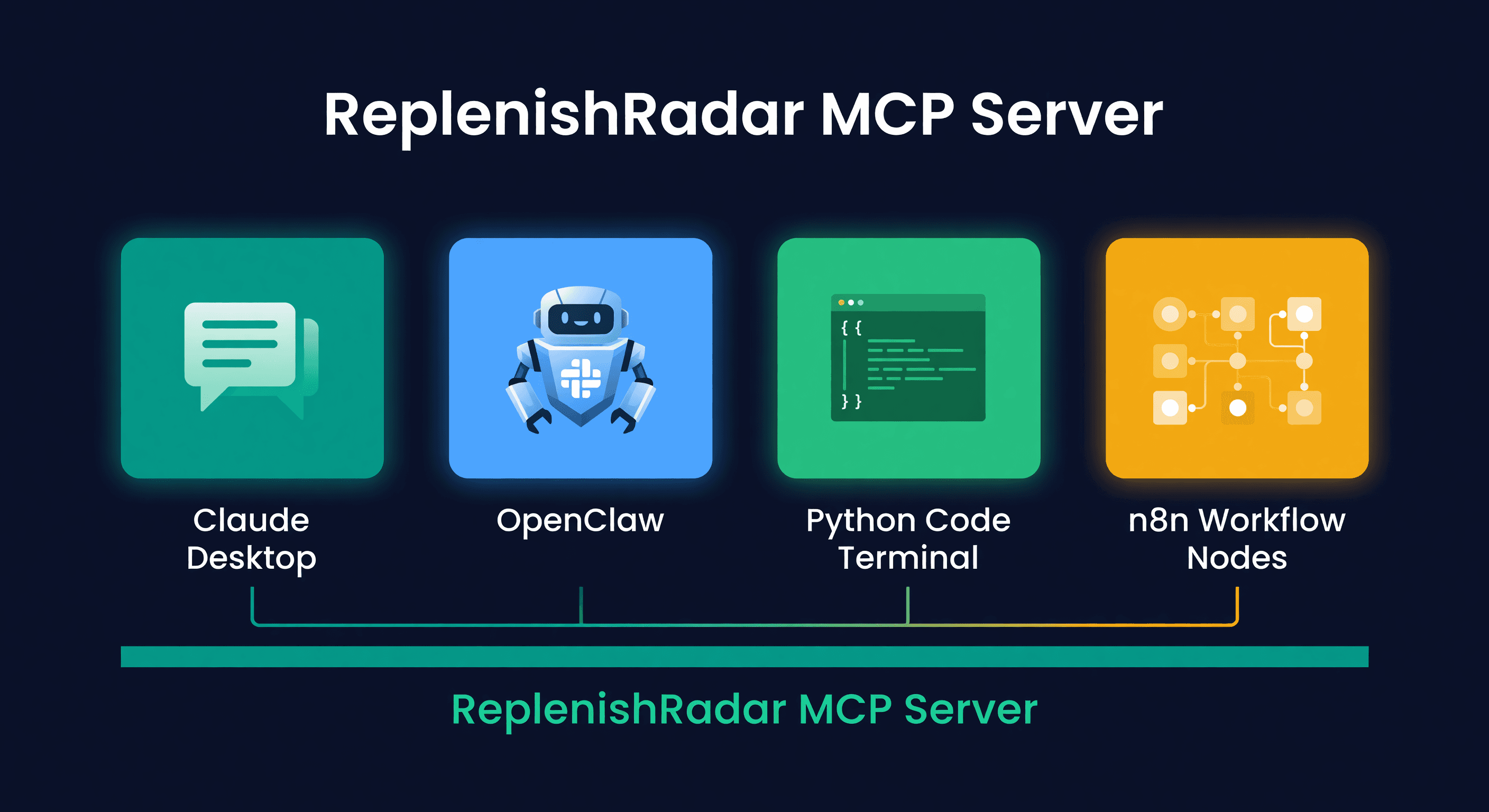
Best AI Agent Setup for Amazon and Shopify (2026)
Key takeaway: The most effective AI agent setup for e-commerce sellers combines Claude Desktop or Cursor with ReplenishRadar's npm MCP package connected to your inventory data. This gives the agent structured access to stock levels, sales velocity, and supplier lead times without sharing raw channel credentials.
Every AI agent needs two things: something to think with and something to think about. The model is the brain. Your data is the context. Without live inventory data piped in, your agent is just a chatbot that knows what "safety stock" means in theory.
I have tested four different ways to connect an AI agent to a ReplenishRadar inventory account over the past two months. Each one works. They solve different problems for different people. Here is what I found.
The Pieces You Need
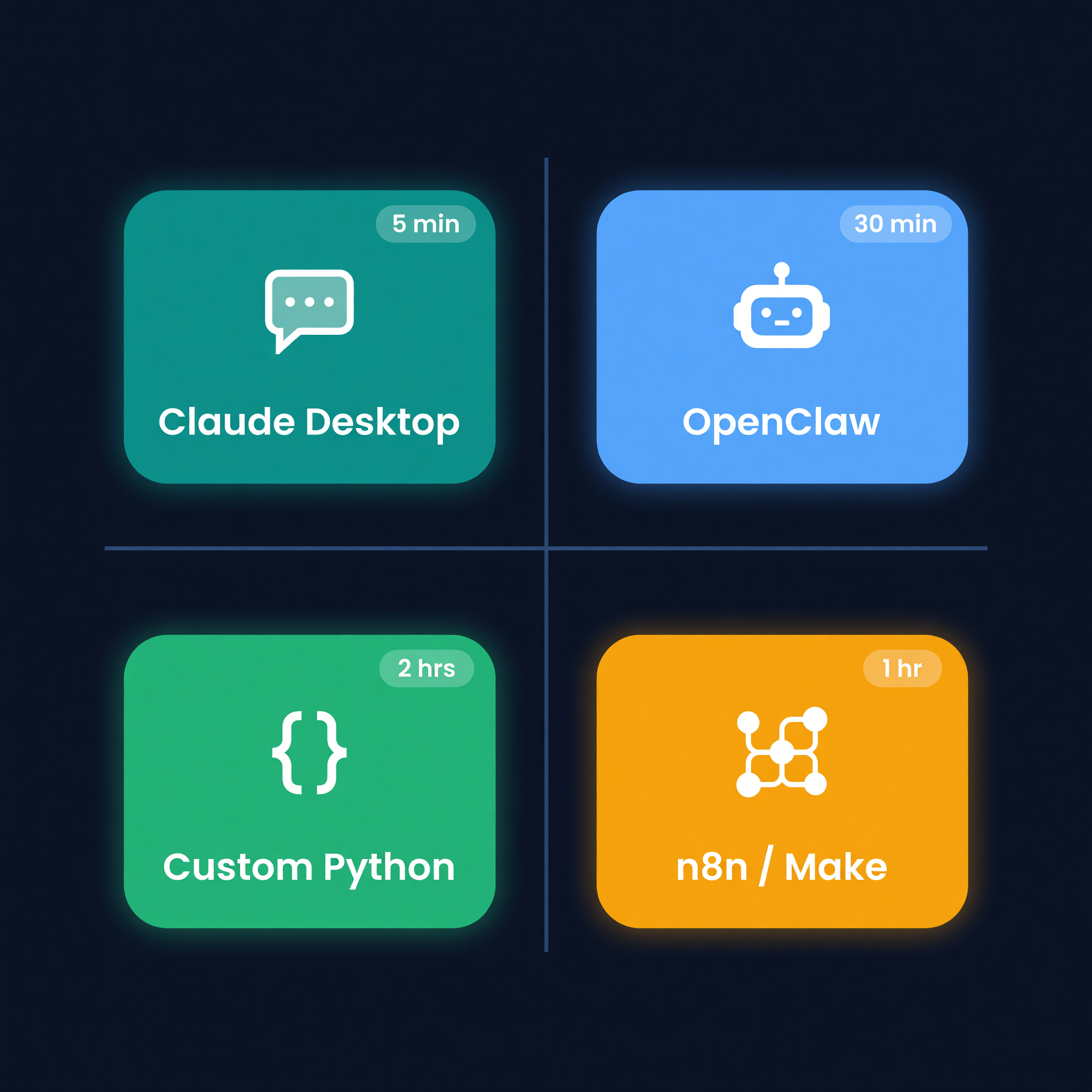
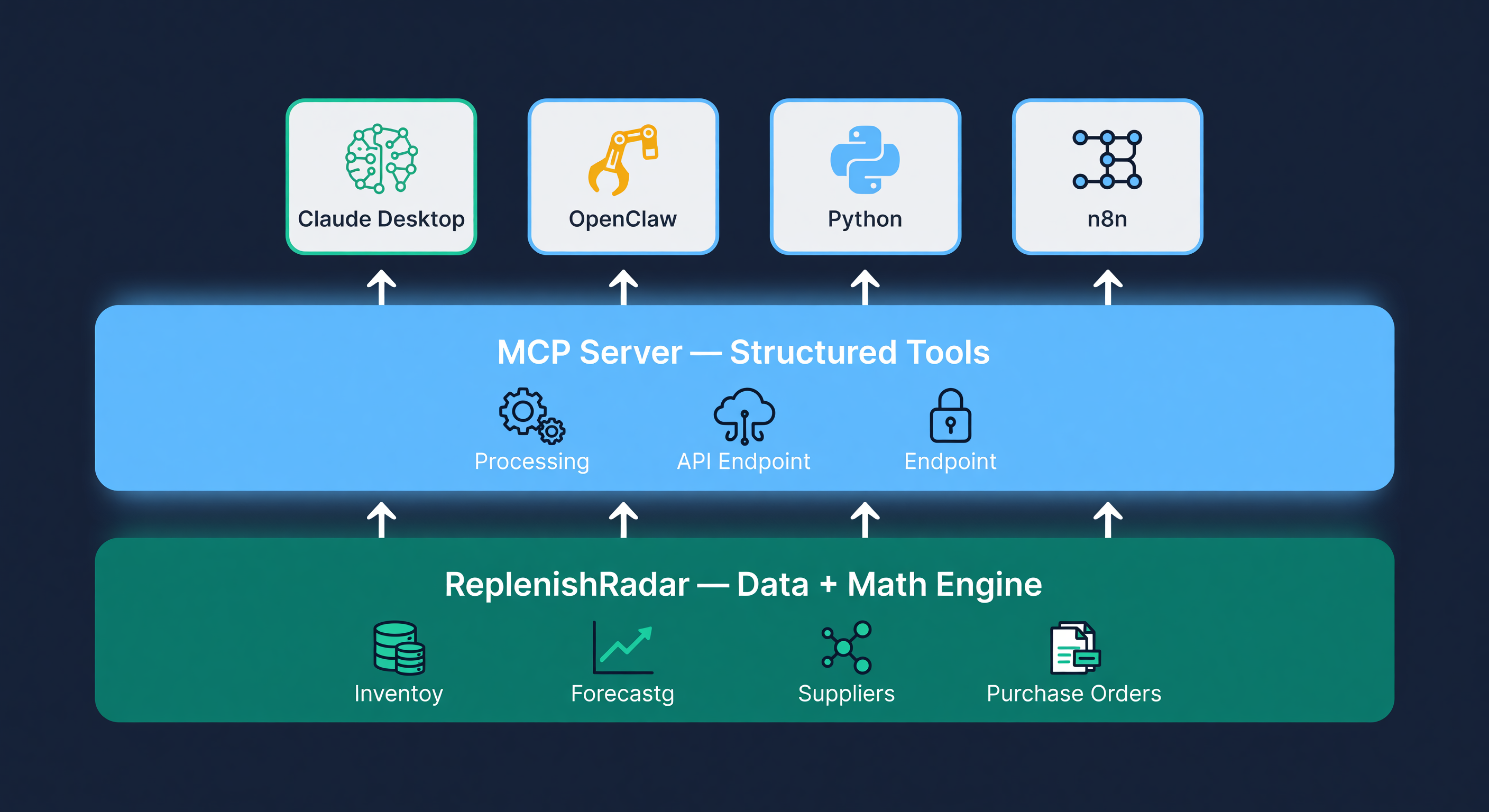
Every setup has three components, regardless of which platform you pick:
-
An inventory data source. This is the MCP server package - the thing that gives your agent tier-scoped access to real inventory data. ReplenishRadar exposes 49 inventory tools plus knowledge search, covering stock levels, forecasts, replenishment actions, purchase orders, supplier data, location management, and alerts. It works with any client that can run a local MCP stdio server.
-
An agent platform. Claude Desktop, OpenClaw, a custom Python script, n8n - this is where the model lives and where you interact with it.
-
A notification channel. Slack, Discord, email, SMS. Where do you want alerts and briefings to land?
The ReplenishRadar tool surface is the same across all four setups. The differences are in how you interact with it and how much you want to automate.
Claude Desktop
This is the one I recommend to most people. Five minutes to set up. Zero code.
You open your Claude Desktop config file, add the ReplenishRadar npm MCP package entry with your API key, and restart. That is the entire process. The config is a JSON file. If you have ever edited a settings file, you can do this.
Once connected, you talk to Claude in natural language. "What is my stockout risk this week?" "Show me the top 10 SKUs by days of supply." "Draft a purchase order for my low-stock items from Supplier ABC." Claude calls the MCP tools behind the scenes. You see the answers in the chat window.
I use this as my morning briefing. Every day around 8 AM, I open Claude Desktop and type something like: "Give me a status report - any SKUs below reorder point, anything that stocked out overnight, and my top alerts." Thirty seconds later I have a summary that would take 15 minutes to assemble from dashboards manually.
| Aspect | Detail |
|---|---|
| Setup time | 5 minutes |
| Technical skill | Minimal (edit JSON config) |
| Best for | Daily briefings, ad hoc queries, manual PO drafting |
| Limitation | No background automation - you have to open the app and ask |
| Cost | Claude Pro subscription ($20/month) + ReplenishRadar plan |
The limitation is real. Claude Desktop is conversational. It does not wake up at 2 AM and alert you that a SKU just hit its reorder point. You ask. It answers. For sellers who check in once or twice a day and want a smart assistant rather than an autonomous system, this is the right fit.
OpenClaw
OpenClaw sits in Slack or Discord and runs continuously. You wire the ReplenishRadar MCP package or REST tool-call endpoint into the agent settings, connect your messaging platform, and schedule checks or wire supported notification events into the agent.
The difference from Claude Desktop is reactivity. With a scheduled check, OpenClaw can poll the MCP/API surface, detect that SKU-1234 is projected to stock out in 6 days, draft a PO for 500 units from Supplier X, and post an approval message in Slack. You click a button. Done.
I ran this setup for three weeks. The Slack integration is genuinely good for teams. Our buyer would see the draft PO notification, review it, click approve, and the PO moved to submitted status - all without opening ReplenishRadar or Seller Central. The approval flow uses signed action URLs, so the "approve" button is a single authenticated click. No login required.
| Aspect | Detail |
|---|---|
| Setup time | 20-30 minutes |
| Technical skill | Moderate (agent config, webhook setup, Slack/Discord bot) |
| Best for | Teams, reactive automation, Slack-native workflows |
| Limitation | Self-hosted, requires maintaining a running instance |
| Cost | Free (self-hosted) + ReplenishRadar plan |
The trade-off is maintenance. OpenClaw is an open-source project running on your infrastructure. When it goes down, you fix it. When a new version ships, you update it. I wrote about how OpenClaw compares to purpose-built inventory software in more detail - the short version is that OpenClaw is a great agent platform, but it is not inventory software. The math still comes from ReplenishRadar.
Custom Python Agent
For developers who want full control. This is maybe 50 lines of Python to get a working agent loop.
You install the Anthropic SDK, OpenAI SDK, or whichever model provider you prefer, then expose the ReplenishRadar tools through the npm MCP package or REST tool-call endpoint. You write a loop: receive a trigger, call the model with the ReplenishRadar tools available, execute the tool calls, return the result. The trigger can be a cron job, a webhook, a Slack command, anything you can code.
I built a version that runs on a 6 AM cron job. It calls rr_get_alerts, formats the results into a summary, and posts it to a private Slack channel. Total code: 47 lines including error handling. Another version monitors a webhook endpoint and auto-drafts POs when a reorder alert fires.
The system prompt matters here. We provide two templates:
Minimal (read-only, daily briefing): The agent can query stock levels, forecasts, alerts, and supplier data. It cannot create or modify anything. Good for reporting.
Full operator (read + write, reactive): The agent can draft POs, add action notes, update draft POs, trigger syncs, and set stock at manual locations. PO creation still starts as a draft, and sending requires prior human approval.
| Aspect | Detail |
|---|---|
| Setup time | 1-2 hours |
| Technical skill | High (Python, API keys, deployment) |
| Best for | Custom workflows, scheduled reports, multi-step automations |
| Limitation | You build and maintain everything |
| Cost | API usage (~$0.01-0.03/query) + ReplenishRadar plan |
This is the setup I would pick if I were building inventory automation for a 10,000+ SKU operation and wanted to chain multiple steps: check alerts, cross-reference with supplier lead times, draft POs, post summaries, and escalate anything unusual. The code is yours. The logic is yours. ReplenishRadar provides the data and the guardrails.
n8n and Make (No-Code)
If you use n8n or Make for other automations, you can skip MCP entirely and hit the ReplenishRadar REST API directly.
The pattern: a scheduled trigger calls the ReplenishRadar REST tool-call endpoint, pulls stockout risk or PO details, formats the data, and sends a notification to Slack, email, or SMS. For supported notification events such as purchase_order.approved, you can wire the notification channel into the same workflow. No LLM involved unless you add one as a step.
I built a simple n8n workflow that does this: a scheduled trigger calls the stockout-risk API, filters high-risk SKUs, formats a message, and posts to Slack. Eight nodes. Took about 45 minutes to build including testing. Works reliably.
You can add an LLM step if you want the notification to include a natural-language summary instead of raw data. n8n has Claude and GPT-4 nodes built in. But honestly, for most alert-and-notify workflows, you do not need AI at all. A well-formatted Slack message with the SKU name, current stock, days of supply, and a link to the PO builder is more useful than a paragraph of AI-generated commentary.
| Aspect | Detail |
|---|---|
| Setup time | 30-60 minutes |
| Technical skill | Low-moderate (visual workflow builder) |
| Best for | Alert routing, notifications, simple automations without AI |
| Limitation | No conversational interface, limited to predefined workflows |
| Cost | n8n free tier or Make free tier + ReplenishRadar plan |
Head-to-Head
| Claude Desktop | OpenClaw | Custom Python | n8n / Make | |
|---|---|---|---|---|
| Setup time | 5 min | 30 min | 1-2 hrs | 45 min |
| Technical skill | Low | Moderate | High | Low-Moderate |
| Conversational | Yes | Yes | Optional | No |
| Background automation | No | Yes | Yes | Yes |
| Self-hosted | No | Yes | Yes | Optional |
| Reactive to events | No | Yes | Yes | Yes |
| Model-agnostic | No (Claude) | Yes | Yes | Yes |
| Best SKU range | Any | Any | 1,000+ | Any |
| Monthly cost (excl. ReplenishRadar) | $20 | Free | ~$5-30 | Free-$29 |
I want to be direct about my recommendation. Start with Claude Desktop. It takes five minutes. You will know within a day whether having an AI agent on your inventory data changes how you work. If it does - if you find yourself checking in every morning and asking questions you would not have thought to run in a dashboard - then consider whether you need background automation. If yes, move to OpenClaw or a custom agent.
Most sellers I talk to never move past Claude Desktop. The morning briefing alone is worth it. You ask a question, you get an answer with real numbers, and you move on with your day.
The Approval Flow Is the Same Everywhere
This is the part that matters most and it works identically across all four setups. When any agent - Claude Desktop, OpenClaw, custom Python, whatever - drafts a purchase order, the PO is created in draft status. Always. There is no configuration that lets an agent submit a PO directly.
You get a notification with the draft details and a signed action URL. Click it. Review the quantities, the supplier, the total cost. Approve or reject. The URL is cryptographically signed and time-limited. Nobody else can use it. No agent can click it for you.
I hear the "what if the agent goes rogue" question constantly. We built the public flow so that question has a boring answer: draft-first, approval-gated, rate-limited, and logged. Abnormal key activity can be suspended. The agent is a very fast assistant that needs your signature on purchasing checks.
We covered the full approval workflow and the complete list of what agents can do with your data in separate posts if you want the details.
Picking the Right System Prompt
The system prompt you give your agent determines what it can do. We provide two templates, and I would start with the minimal one every time.
The minimal template restricts the agent to read operations. It can pull stock levels, check alerts, run demand queries, and generate reports. It cannot draft POs, modify reorder points, or trigger syncs. Think of it as a reporting assistant. This is the template I use on my Claude Desktop daily driver.
The full operator template adds write capabilities: drafting POs, updating supplier settings, triggering inventory syncs. Every write operation still goes through the approval flow - the agent creates a draft, not a final action. I use this on the OpenClaw setup in our Slack, where our buyer reviews and approves PO drafts inline.
Start with read-only. Run it for a week. See what you actually ask. Then decide whether you want the agent drafting POs or whether you prefer to do that yourself in the ReplenishRadar UI. There is no wrong answer. Some sellers want full automation. Others want a smart lookup tool. Both are valid.
Where This Saves Real Time
Figuring out the right agent setup took me a few days of testing. Running it saves me about 25 minutes per day - most of that from the morning briefing replacing my old routine of opening four tabs, running three reports, and cross-referencing manually.
The bigger win is the questions I would never have asked. "Which SKUs have demand trending up more than 15% but no PO in the pipeline?" I would never run that query in a dashboard because it would take five minutes to set up the filters. Asking Claude takes eight seconds.
Every setup in this guide connects through ReplenishRadar's MCP server package or REST tool-call endpoint - the same structured tools, the same live data, the same approval flow regardless of which agent platform you pick. Standard includes limited read access and safe basic actions. Growth and Scale add direct write tools. No extra charge, no separate subscription.
Try ReplenishRadar free for 14 days -> | MCP setup guide ->
Related Reading:
Frequently Asked Questions
Get notified when it matters
Amazon and Shopify change the rules constantly. We'll email you when something affects your business.
See what your inventory is really doing
Doing $5M+ in revenue? Talk to our team
Works with your AI agent
Ready for agents: MCP tools for live stock data OpenClawClaudeChatGPT
Related Posts
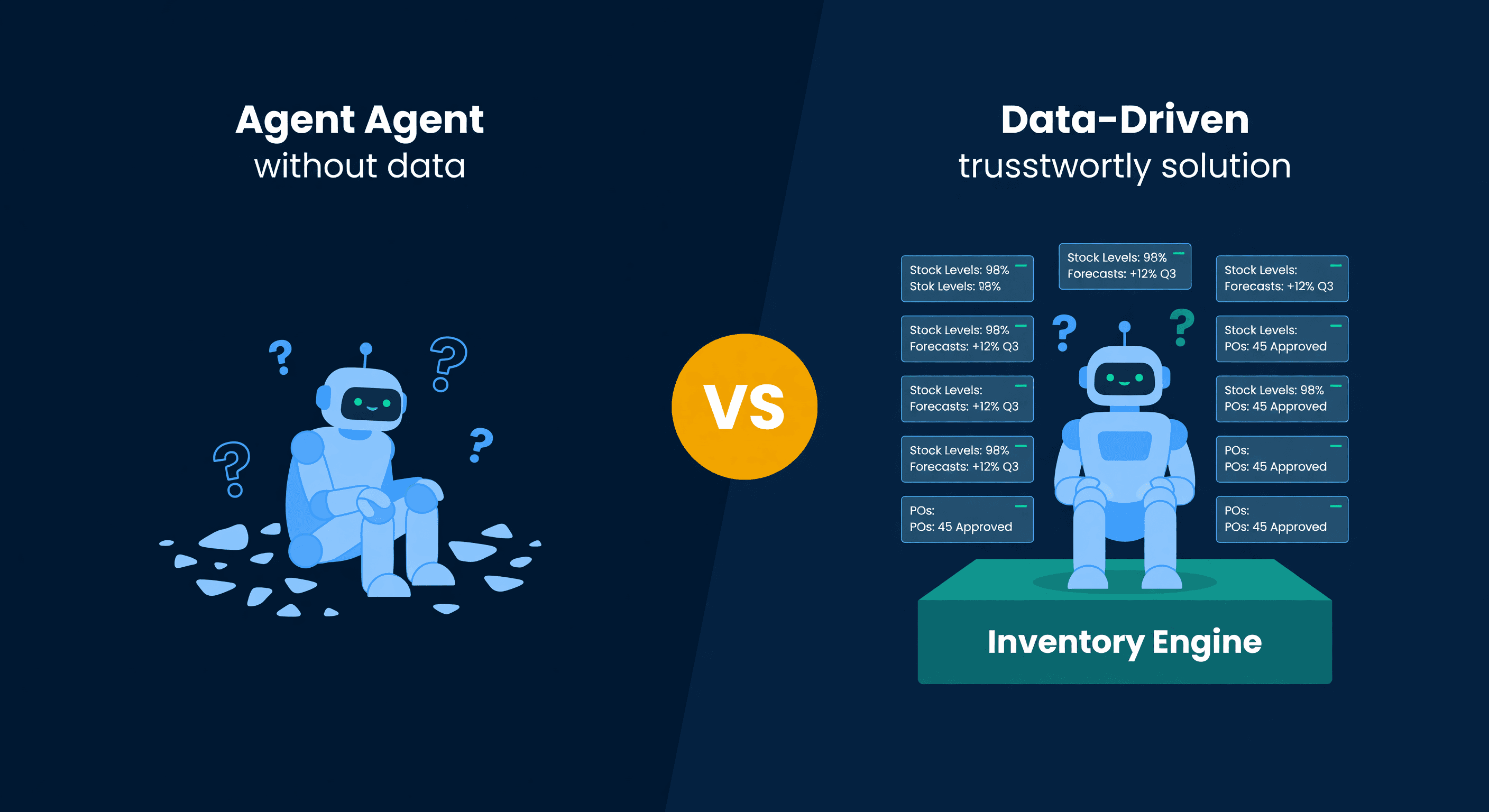
OpenClaw vs Inventory Software: Where AI Agents Fall Short
OpenClaw handles basic Shopify stock alerts but stops short on FBA lead times, multi-channel forecasting, and reorder math. The honest breakdown.
How to Handle Oversold Orders in E-commerce
Why overselling happens on multi-channel stores, what it costs you, and the prevention strategies that actually work, from buffer stock to real-time push sync.
Shopify Bundles and the Inventory Problem
Product bundles sell great. Tracking their inventory is a mess. Here's how to handle component-level stock for Shopify bundles without overselling.
