Amazon Says Out of Stock While It's Sitting in FBA
Key takeaway: Amazon can mark you out of stock while your units sit in FBA. It is usually a suppressed listing, not real depletion, and the missing item quantity attribute is the frequent cause. Check the listing status, set the attribute, resubmit, and watch for it to reactivate. The rank damage is real either way, so catch it early with a weekly listing-health check.
"How Am I Out of Stock When It's Sitting in Amazon's Warehouse?"
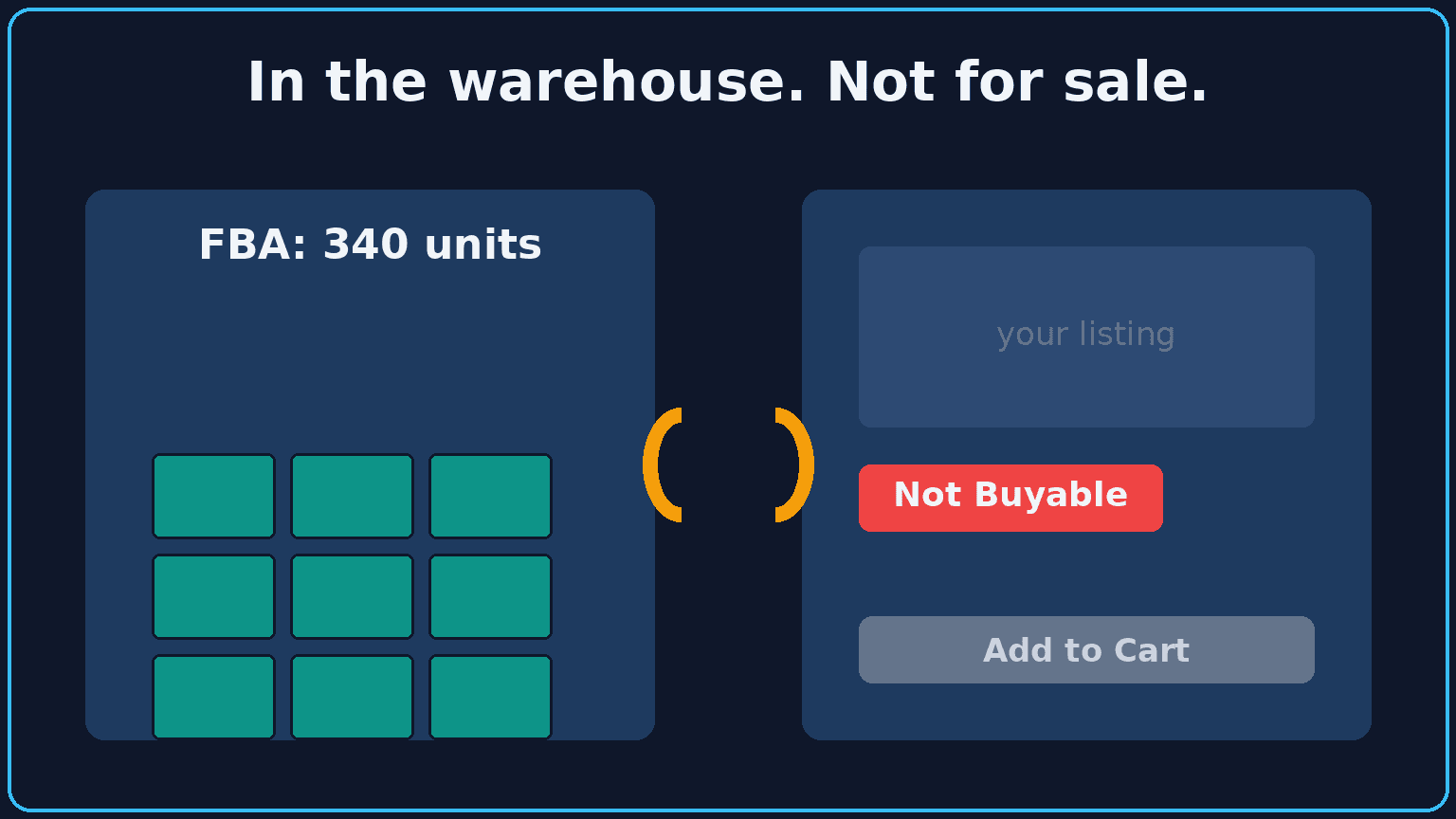
Picture it. Amazon says the product is out of stock. You pull up the FBA report. The units are right there in the warehouse. Hundreds of them. Sellable, paid for, sitting in a fulfillment center, and Amazon will not let a single customer buy one.
It is one of the more maddening problems on Amazon because the platform tells you two contradictory things at once. On-hand: full. Buyable: no. The instinct is to assume you ran out and rush an emergency reorder. Do not do that yet. You are probably not out of stock at all.
Phantom Stockout vs Real Stockout
These are two different problems that look identical from the outside.
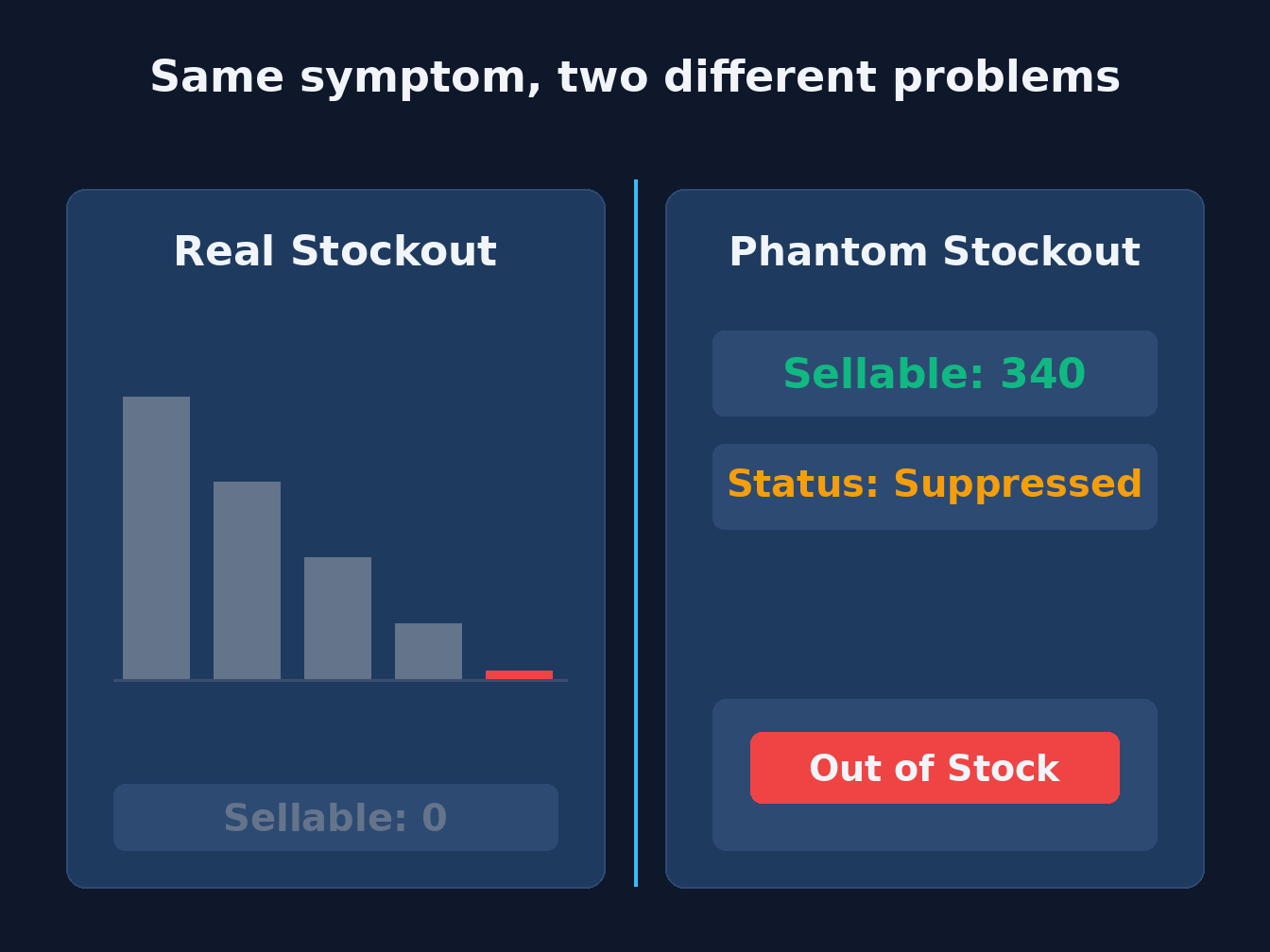
A real stockout is depletion. You sold through your units, FBA is empty, and the fix is more inventory. Painful, but honest. The number went to zero because the sales happened.
A phantom stockout is a lie the listing is telling. The units are in FBA. Available quantity is not the problem. The listing itself got suppressed or flipped to not-buyable, so the buy box disappears even though the stock is sitting there. Nobody can check out. Your sales chart falls off a cliff and it looks exactly like you ran dry.
The tell is simple. If your FBA inventory report shows sellable units but the listing shows out of stock or inactive, you are looking at a phantom. Real depletion and a suppressed listing feel the same to your revenue. They are not the same fix.
There is a third case, and it fools more people than the first two: the units are in the building, but they are not the sellable kind yet.
In the Warehouse Is Not the Same as Sellable
"In FBA" covers several different numbers. Amazon splits your stock into buckets, and only one of them can be sold right now. The FBA Inventory API definitions put it plainly:
| Bucket | What Amazon means | Can a customer buy it today? |
|---|---|---|
| Fulfillable | Units that can be picked, packed, and shipped | Yes |
| Reserved | Units being picked, packed, and shipped, or sidelined for measurement, sampling, or other internal processes | No |
| Inbound | Units on their way to Amazon's fulfillment network | No |
| Researching | Misplaced or warehouse-damaged units Amazon is still confirming | No |
| Unfulfillable | Units that cannot be sold | No |
Reserved is the one that confuses people, because it is not one thing. Amazon's inventory notification docs break it into three separate reasons: units temporarily sidelined for warehouse processing, units moving to another Amazon warehouse, and units about to ship out as a customer order. A transfer between warehouses and a pending order are different events with different causes, so do not treat "reserved" as a single delay you can wait out.
Inbound has its own trap. The same notification docs count a shipment as inbound while it is shipped, in transit, delivered, or checked in, and separately count units that have arrived and are still being received. A carrier saying "delivered" does not make a unit fulfillable. A delivered or receiving shipment is expected supply. It is not stock you can sell now.
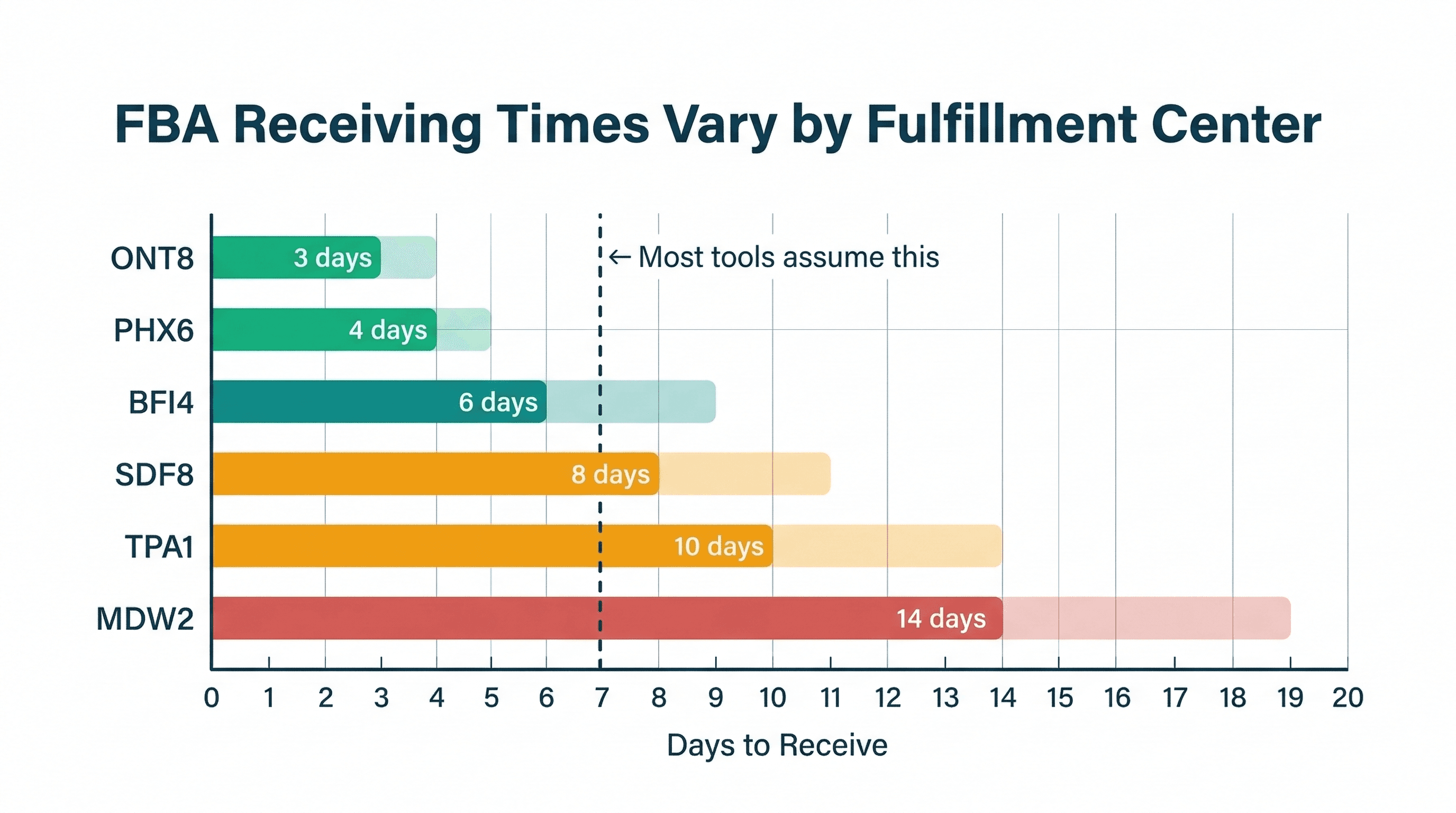
So when the dashboard says you have 300 units "at Amazon" and the listing says out of stock, add up only the fulfillable column before you decide anything. If fulfillable is zero, you are effectively out of stock, whatever the other buckets say. If fulfillable is healthy and the listing is still dead, it is a phantom. Our post on FBA receiving times by fulfillment center covers why the gap between delivered and sellable runs longer at some warehouses than others.
Why It Happens
A frequent cause is a missing catalog attribute, and item quantity is a good one to check first. That field tells Amazon how many units are in a single sellable pack. When it goes blank, Amazon does not know what it is selling, so it suppresses the listing rather than sell something undefined.
How does a field you filled in go blank? A few ways:
- A flat-file upload overwrote it. You edited a title or a price with a spreadsheet, and a blank cell in a column you did not think you touched wiped the attribute.
- A sync glitch between a third-party tool and Amazon dropped the value on a push.
- An ASIN mapping error pointed your inventory at the wrong catalog record.
- A recent catalog edit tripped a new required attribute Amazon added without much warning.
- A hazmat or compliance hold flagged the listing for review and parked it.
None of these touch your physical stock. The boxes never move. The metadata breaks, and the metadata is what Amazon sells from.
How to Tell Which One You Have
Before you reorder anything, confirm what you are dealing with.
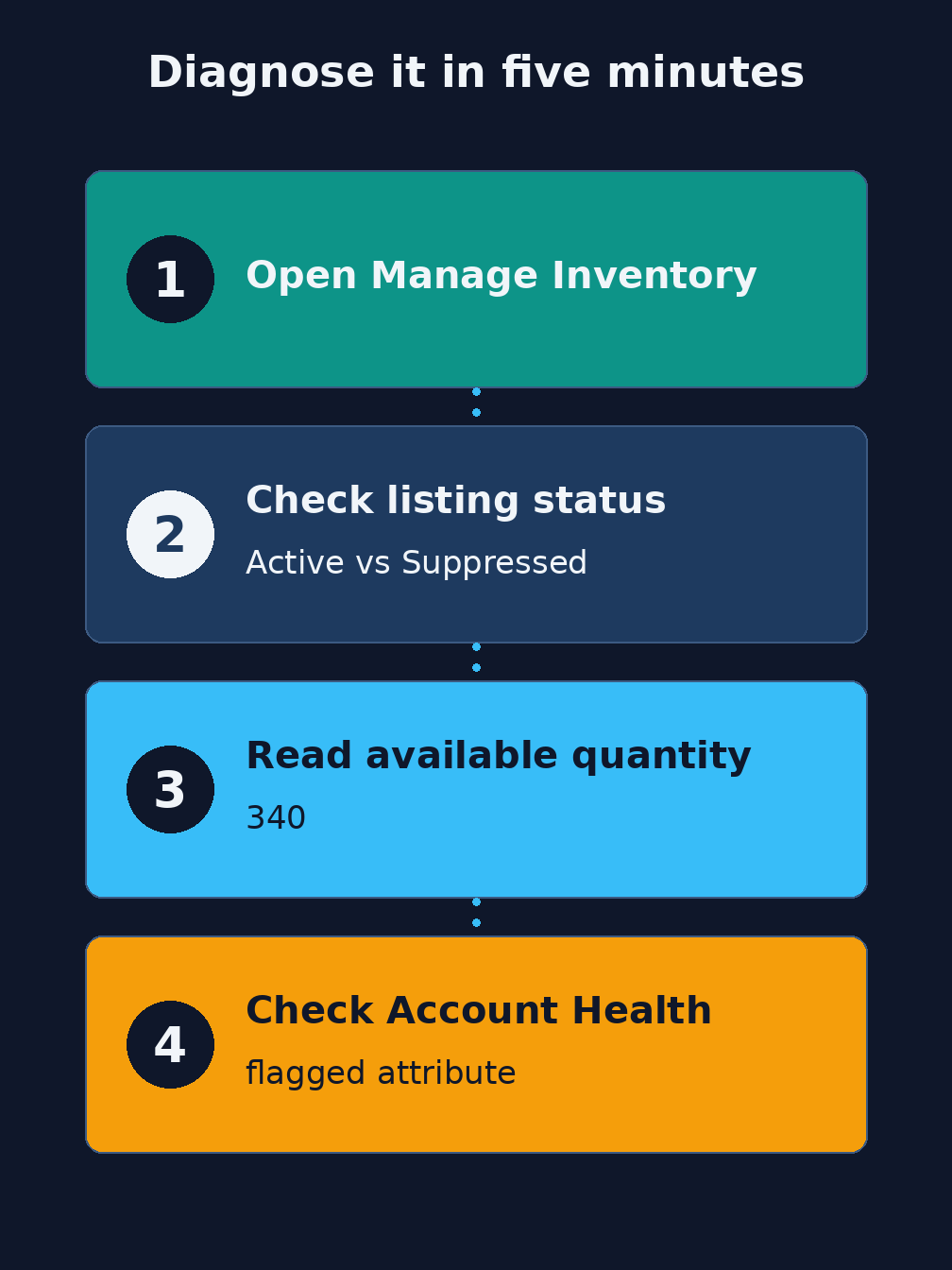
- Open Seller Central, go to Inventory, then Manage Inventory.
- Find the SKU and look at its status. Active and buyable is one thing. Inactive, suppressed, or "not buyable" is the phantom signal.
- Cross-check the available quantity, which is the fulfillable count, not the total. If it reads a real number and the listing still shows out of stock, the stock is not your problem. If only the reserved or inbound numbers are positive, it is.
- Check Account Health for suppression notices and flagged attributes. Amazon usually names the field it is unhappy about here.
If quantity is genuinely zero, you have a real stockout and this post is not your fix. Go restock. If quantity is healthy and the listing is suppressed, keep reading.
How to Fix a Suppressed Listing Fast
Once you know it is a suppressed listing, the repair is usually quick.
Find the flagged attribute. If it is item quantity, set the value. For a standard single-unit product that is often just 1. If you sell a multipack, use the real count in one sellable unit. Resubmit the listing and clear any other attribute Amazon flagged at the same time, because it will happily suppress you again for the next missing field.
Amazon does not publish a turnaround for reactivation once the flagged attribute is resolved, so we will not promise you one. Watch the listing status flip back to active, then confirm the buy box actually returned by loading the product page yourself.
One caution. Do not overwrite good data trying to fix this in a hurry. If you resubmit with a broad flat-file, double-check you are only setting the one field that broke, not blanking three others.
How to Stop Finding Out Too Late
The worst part of a phantom stockout is not the fix. It is the discovery. It is easy to find out days later, when they finally look at a sales report and notice the number cratered on Tuesday. By then you have lost a week of sales and a chunk of rank to a problem that was quick to repair.
The habit that catches it is a weekly listing-health check. Open Manage Inventory and Account Health once a week and scan for anything inactive or flagged. It is boring. It also saves you from the sales cliff you would otherwise find by accident.
The second habit is to stop trusting "in stock" at face value. On-hand units and sellable units are not the same number, and the gap between them is where phantom stockouts hide. Watch that gap.
Where ReplenishRadar Fits (And Where It Does Not)
To be straight about this one, because the honest answer matters more than the pitch.
ReplenishRadar does not fix Amazon listing suppression. It does not repopulate a missing item quantity attribute or reactivate a not-buyable listing. That is a Seller Central and flat-file job, and any tool that claims otherwise is overselling you.
What we do is different. We forecast demand, set reorder points, and predict stockouts across your Shopify and Amazon stock, and we send inventory-health alerts when the numbers stop looking normal. The lesson from a phantom stockout is exactly the discipline we are built around: do not trust a single "in stock" flag, and do not wait for a quarterly review to notice something broke. When your sellable position and your sales stop agreeing, you want to know that day, not next week.
See how ReplenishRadar tracks inventory health across Shopify and Amazon ->
The Real Cost
A phantom stockout costs you the same way a real one does. The units in the warehouse do not soften the blow. If nobody can buy, your velocity drops, your rank slips, and you spend weeks climbing back to where you were. We break down that full math in the real cost of stockouts, and it is worse than the lost-sales line alone.
The difference is that this one was avoidable with a quick check. A real stockout needs inventory you may not have. A phantom stockout needs a field set to 1 and a resubmit. The tragedy is only in finding it late.
Related Reading:
- How to Fix FBA Stranded Inventory (stranded means stock not linked to a listing, which is a close cousin of the phantom stockout)
- How to Prevent Stockouts on Amazon
- Your Inventory Data Is Wrong
- Amazon's 75-Character Title Limit: Compliance Guide
Frequently Asked Questions
Get notified when it matters
Amazon and Shopify change the rules constantly. We'll email you when something affects your business.
See what your inventory is really doing
Doing $5M+ in revenue? Talk to our team
Related Posts
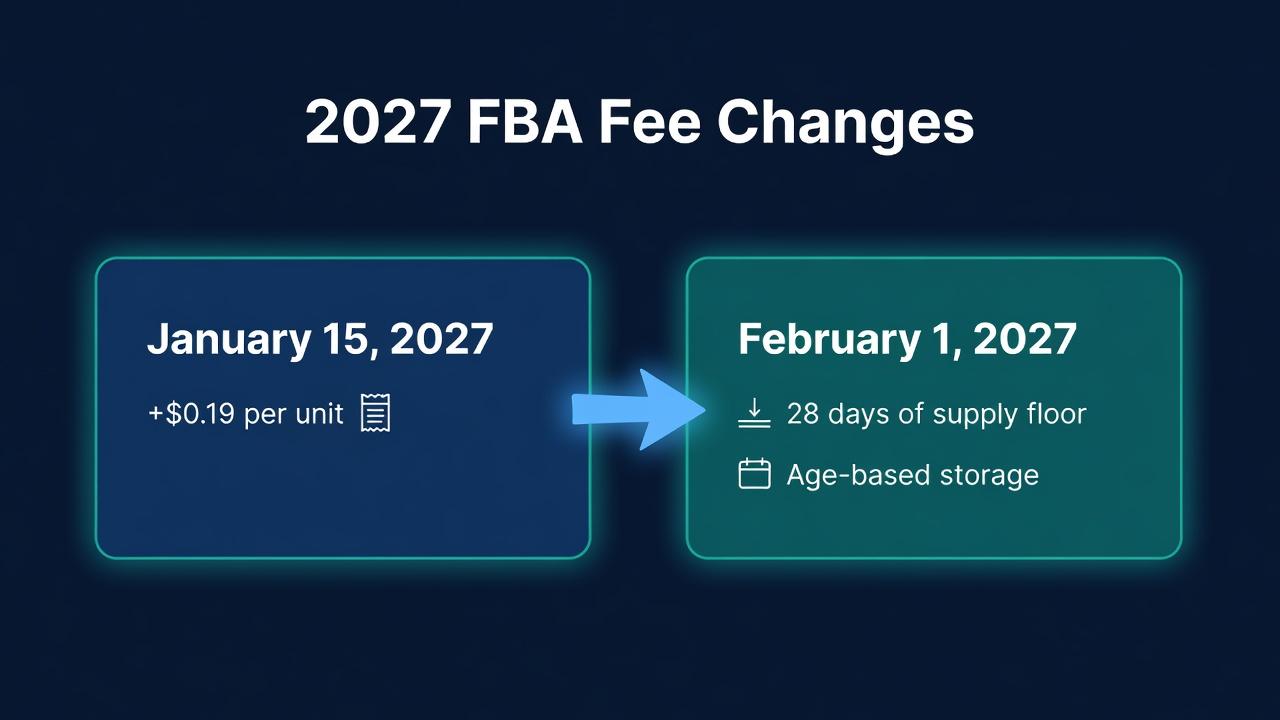
Amazon's 2027 FBA Fee Changes: 28 Days Is the Floor
Amazon's 2027 FBA fee changes: +$0.19 a unit from January 15, then a 28-day low-inventory floor and age-based storage from February 1. How to plan for both.
FBA Receiving Times by Fulfillment Center
Amazon FBA receiving times vary wildly by fulfillment center. Here's what the data shows and why a single lead time estimate is costing you money.
Cin7 Alternatives (2026)
Five Cin7 alternatives compared on stated price, contract terms, Shopify and Amazon support and locations, with a pick for each reason people leave Cin7.
