Shopify API 2026-04: What Changed for Inventory Apps
Shopify's REST API Will Not Fail Loudly. That Is the Risk.
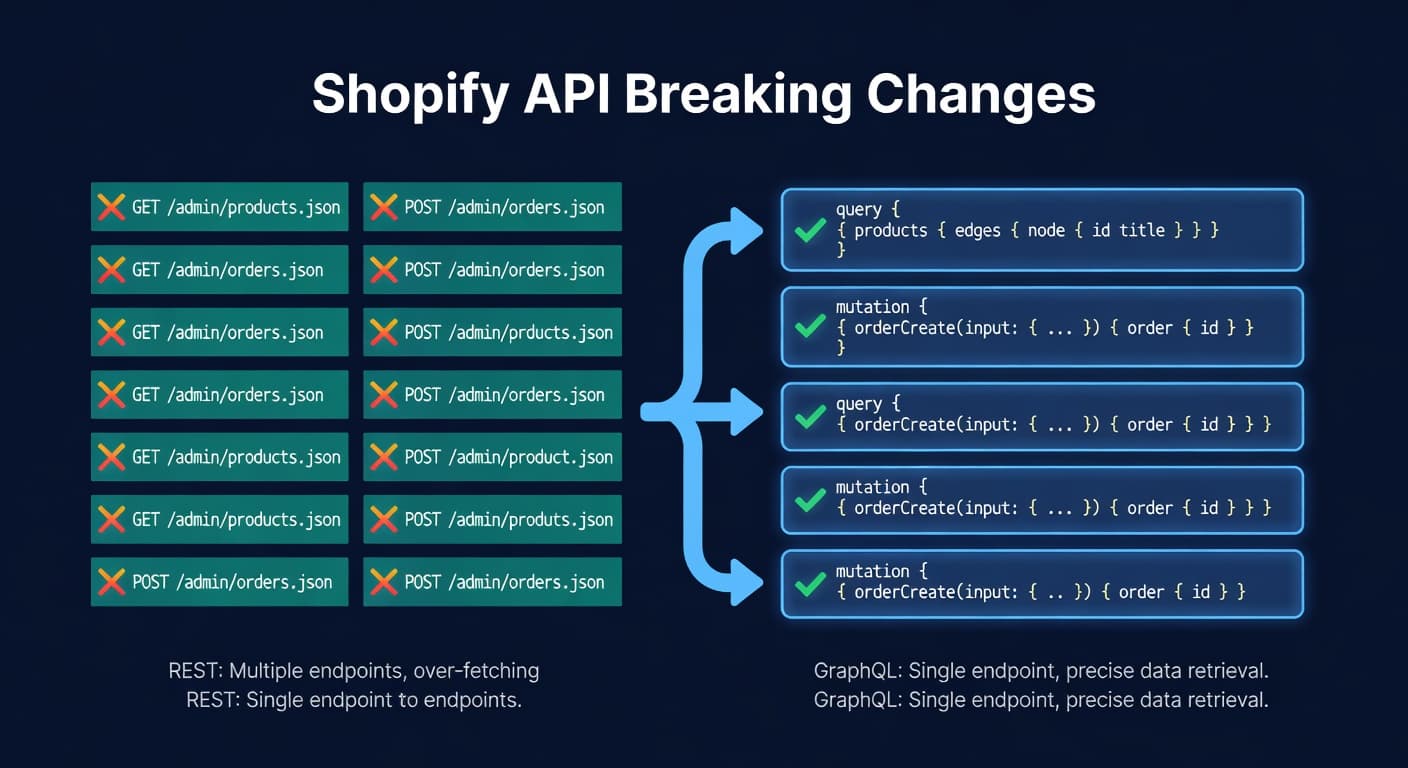
Shopify marked the REST Admin API legacy back in October 2024, and since April 2025 every new public app has had to be built on GraphQL. That part is old news. What is new, and what actually lands on inventory apps as of October 2026, is the 2026-04 release: it made idempotency mandatory on the mutations that adjust stock and issue refunds, and it requires a changeFromQuantity value that older integrations never had to send. If you run a custom Shopify integration, or lean on an app that has not touched its code in a year, this is the version that matters.
This post is specifically for sellers who have custom Shopify integrations, use smaller inventory apps, or work with developers who maintain their Shopify connection. If you use a major app that is actively maintained, they have probably already handled this. Probably.
What Shopify Changed
REST is legacy, not gone. Shopify has not published a hard removal date for REST inventory endpoints like inventory_levels/adjust.json. As of October 2026 they are still documented and callable, carrying the same notice every REST resource has had since October 1, 2024: legacy API, GraphQL recommended, no new features coming. Treat "legacy" as a one-way ratchet, not a deadline you can put on a calendar.
Idempotency became mandatory in 2026-04. The GraphQL mutations that move inventory and issue refunds now require it, to stop a retried request from applying the same adjustment twice. If your integration retries a failed call without sending an idempotency key, the 2026-04 version is where that habit starts double-counting stock instead of just wasting a request.
changeFromQuantity is now required, not optional. inventoryAdjustQuantities, inventoryMoveQuantities, inventorySetOnHandQuantities, and productVariantsBulkUpdate all now require you to state the quantity you expected before the change. Shopify uses it as a compare-and-swap check and rejects the write if the live quantity has already moved. The old compareQuantity and ignoreCompareQuantity arguments on inventorySetQuantities are gone.
The Timeline
Shopify releases a new stable API version every quarter (January, April, July, October), and its versioning docs commit to a minimum of 12 months of support for each one, with at least nine months of overlap between any two consecutive stable versions. There is no single date when "REST stops working." There is a rolling window, and the table below is what to check it against.
| Date | What Happened |
|---|---|
| October 1, 2024 | REST Admin API marked legacy across every version |
| April 1, 2025 | New public apps required to use GraphQL exclusively |
| April 1, 2026 | 2026-04 shipped: idempotency mandatory on inventory and refund mutations, changeFromQuantity required |
| October 16, 2026 | API version 2025-10's support window closed |
As of October 2026, if your integration is still pinned to a version whose support window has closed, Shopify does not throw an error. It falls forward and serves your request using the oldest version still accessible, and that version can shape the response differently than the one your code was built against. Check the X-Shopify-API-Version header on the response: if it does not match what you asked for, you are already on a fallback version and nothing in a status code told you.
Why This Matters for Sellers (Not Just Developers)
You might be thinking "I'm a seller, not a developer. Why do I care about API versions?" Because your inventory accuracy depends on software that talks to Shopify's API, and that API does not fail the way most people expect.
Your inventory levels keep syncing. That is the trap. Shopify's fall-forward behavior means a stale integration still gets 200 responses and numbers that look normal, just numbers shaped by a newer API version than the one the code expects. A field that got restructured between versions can come back empty or missing, and nothing in your logs flags why. You reorder based on numbers that quietly stopped matching reality. If you sell on multiple channels, the desync cascades: your Amazon allocation is wrong because your Shopify numbers were wrong first.
Here is how that plays out. Say a seller uses a custom Google Sheets integration a freelancer built in 2023, pulling inventory through the REST API. When the integration's pinned version ages out of support, Shopify keeps answering with 200s shaped by a newer version instead of the one the script expected, and a few fields the sheet depends on come back empty. The sheet looks alive. The numbers are wrong. Nobody notices for weeks, and every reorder placed off that sheet in the meantime is sized on bad stock counts.
How to Check If You Are Affected
If you use a major inventory management app (ReplenishRadar, or any well-maintained competitor), you are probably fine, as long as the app is actively maintained and its team tracks API changes. ReplenishRadar has been on GraphQL exclusively since day one.
If you use a custom integration, ask your developer three questions:
- Which Shopify API version are we pinned to, and is its support window still open?
- Does our inventory-mutation code send an idempotency key and
changeFromQuantity, as the 2026-04 version requires? - Have we checked the
X-Shopify-API-Versionresponse header recently to confirm we are not running on a fallback?
If the answers are "I'm not sure" to any of those, you have a problem.
If you use a smaller or unmaintained app, check their changelog or support docs. If the last update predates April 2026 and the app writes inventory, ask whether they have adopted the idempotency requirement. Test it: make a manual inventory adjustment in Shopify and verify it shows up in the app within your expected sync window.
What To Do
Audit your integrations. List every app and custom script that reads or writes Shopify inventory. For each one, confirm it uses GraphQL, sends changeFromQuantity and an idempotency key on inventory mutations, and is pinned to a version whose support window is still open.
Check the X-Shopify-API-Version response header now, not later. If any integration is quietly running on a fallback version, its data is already reshaped and nothing about the response code would have told you.
Treat this as ongoing, not a one-time migration. Shopify ships a new stable version every quarter and keeps retiring the oldest one. The 2026-04 idempotency mandate will not be the last inventory-mutation change, and migrating to GraphQL once does not mean an integration stays current.
ReplenishRadar's Shopify integration uses the GraphQL Admin API exclusively with OAuth authentication. As of October 2026 it is pinned to an API version still inside its support window, so our sync is not the one quietly running on a fallback version.
Try ReplenishRadar free for 14 days
Related Reading:
Frequently Asked Questions
Get notified when it matters
Amazon and Shopify change the rules constantly. We'll email you when something affects your business.
See what your inventory is really doing
Doing $5M+ in revenue? Talk to our team
Related Posts
Shopify POS + Online Inventory Sync Guide
How Shopify POS syncs with your online store, where it breaks, and how to stop selling the last unit twice, with the buffer math to size your reserve.
How to Handle Oversold Orders in E-commerce
Why overselling happens on multi-channel stores, what it costs you, and the prevention strategies that actually work, from buffer stock to real-time push sync.
Shopify Bundles and the Inventory Problem
Product bundles sell great. Tracking their inventory is a mess. Here's how to handle component-level stock for Shopify bundles without overselling.
